Need help?
Do you have a question about the Relax The Back ZERO GRAVITY PR128 Series and is the answer not in the manual?
Defines warning, mandatory, and prohibited symbols used in the manual and on the product.
Explains specific safety icons for pinch points, crush hazards, fire, and tip-over risks.
Covers device classification, indoor use, no smoking, electrical hazards, disposal, and battery requirements.
Outlines mandatory actions and warnings before operation, focusing on unpacking and general safety.
Details crucial safety rules for operating the chair, including child/pet safety and avoiding pinch points.
Provides warnings about retrieving objects, obstructions, smoking, electrical safety, and medication impairment.
Instructions for setting up the transformer and connecting the power cable to the chair and outlet.
Specifies required distances from walls and corners and securing the hand control cord.
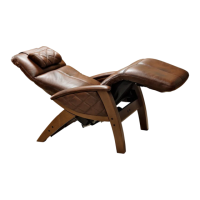
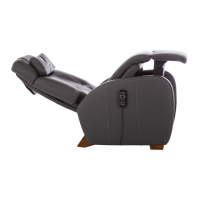
Illustrates the patent-pending 3-motor seating technology and its various positions.
Step-by-step instructions for safely entering and exiting the lift chair using control buttons.
Explains how to use buttons (S10, S5) to move the chair into and out of the Twilight position.
Details how to use buttons (S1-S4) for fine-tuning the back recline and footrest positions.
Procedure for saving custom positions to memory buttons (S6, S8) using the program button (SP).
Instructions for factory reset, disabling/enabling hand control, and locking functions.
Instructions on how to adjust lumbar support firmness by inflating and deflating the bladder.
Explains the purpose of the battery backup system for power failures and battery replacement recommendations.
Describes indicator lights and steps to troubleshoot power-related issues with the chair.
Details warranty coverage for lift mechanism, frame, recline mechanism, and electrical parts over various periods.
Specifies general terms, conditions, and exclusions that can void the warranty, such as weight limits and misuse.
Describes in-home service, parts/labor coverage, and the policy for chair replacement.
Explains how to obtain service, contact support, and lists specific exclusions from the protection plan.
Outlines routine checks for cleaning, electrical components, wiring, and fasteners to ensure proper operation.
Provides specific warnings regarding pinch points, sharp parts, and proper battery replacement during maintenance.
Includes cautions against children playing on the furniture, proper seating, and keeping clear of mechanisms.
Encourages users to register their product online for warranty and updates, providing the website address.
Lists the required fields for product registration, including serial number, model, and personal details.
Asks users to rate their provider experience on a scale from 1 to 5.
 General
| Brand | Relax The Back |
|---|---|
| Model | ZERO GRAVITY PR128 Series |
| Category | Indoor Furnishing |
| Language | English |

 To Next Page