EasyManua.ls Logo

Relaxxnow VTX300 - User Manual

Relaxxnow VTX300
93 pages
Go to English
Print Icon
To Next Page IconTo Next Page
Loading...
DE/EN/ES/FR/IT
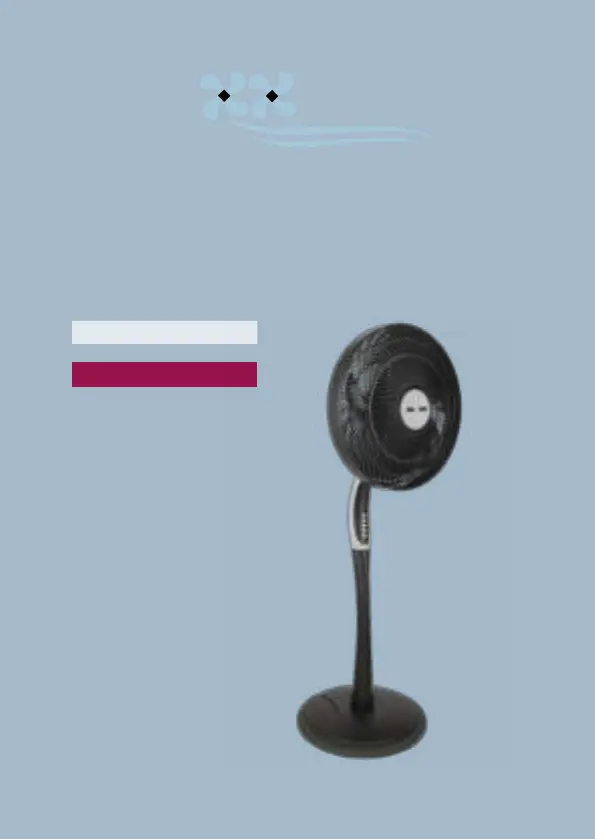
Standventilator
VTX300
RELA NOW

Questions and Answers

  • J
    Jessica WardAug 4, 2025
    What to do if my Relaxxnow Fan wind is not strong enough?
    • P
      Philip BrownAug 5, 2025
      If your Relaxxnow Fan is on but the wind isn't strong enough, it might be due to dust or debris on the back. To resolve this, turn off the fan, unplug it, and clean the rear grille with a soft, dry cloth. Then, plug it back in and turn it on again.
  • B
    Brian HuntAug 10, 2025
    Why does the oscillation function not work on my Relaxxnow Fan?
    • N
      nicholas99Aug 11, 2025
      If the oscillation function on your Relaxxnow Fan isn't working, the oscillation function might not be switched on. Ensure that the corresponding button for the oscillation function is activated. If it's not, simply press the button to start the function, even while the fan is running.
  • B
    Brad MooreAug 16, 2025
    What to do if my Relaxxnow Fan has suddenly stopped?
    • J
      Jason YorkAug 16, 2025
      If your Relaxxnow Fan suddenly stopped, the timer might have expired and switched the fan off automatically. Check if any timer lights on the control switch are on. If they are, press the timer button until all lights are off.
  • C
    Crystal WhiteAug 22, 2025
    Why does the remote control not work for my Relaxxnow Fan?
    • J
      Jason GibsonAug 23, 2025
      If your Relaxxnow Fan remote control isn't working, the batteries may be weak, or the remote might be too far from the fan, preventing it from sending a signal. Please refer to the operating instructions for the remote control and follow the guidelines for using the remote control batteries.
  • L
    Laura MaddoxAug 29, 2025
    How to fix a Relaxxnow Fan that does not turn on?
    • W
      William JohnsonAug 29, 2025
      If your Relaxxnow Fan doesn't turn on, it might not be properly connected to a suitable power source. Ensure that the fan is plugged into a 220-249 V AC, 50/60 Hz socket and then try turning it on again.

Summary

Technical Specifications

Exploded View and Spare Parts List

General Information and Safety

Warnings

Assembly Instructions

Getting Started

Operating Instructions

Remote Control Operation

Details on using the remote control, including its range and battery guidelines.

Air Circulation Adjustments

Explains how to use oscillation and tilt functions for optimal air circulation.

Product Specifications Summary

App Functionality

Amazon Alexa Integration

Steps to integrate and control the fan using Amazon Alexa voice commands.

Cleaning and Storage

Troubleshooting Guide

Disposal Information

Declaration of Conformity

Relaxxnow VTX300 Specifications

General IconGeneral
BrandRelaxxnow
ModelVTX300
CategoryFan
LanguageEnglish

Related product manuals