
 Need help?
Do you have a question about the Reliance Digital TV HD connection and is the answer not in the manual?
Experience high-definition clarity, 5x sharper pictures, and digital sound.
Utilize 16:9 aspect ratio and 1080i resolution for enhanced viewing.
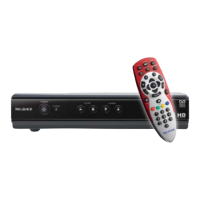
Use Navigation Panel, Home, Select, Ok, and Back keys for menu navigation and selection.
Adjust volume, mute sound, and change channels using Vol, Mute, Ch, and numerical keys.
Details on the indicators and controls on the front of the set-top box.
Description of all input and output ports located on the rear of the set-top box.
Steps to check signal strength and quality for optimal performance.
Enjoying high-definition channels, changing channels, and controlling volume.
Guidelines for safe operation, handling power cords, and preventing electric shock.
Troubleshooting steps for common problems like no picture, no sound, or remote control issues.
Solutions for poor picture quality, signal strength, and no channel reception.
 General
| Audio Output | Stereo |
|---|---|
| HDMI Output | Yes |
| USB Port | Yes |
| EPG | Yes |
| Parental Control | Yes |
| Video Resolution | Up to 1080i |
| Recording | Yes |
| Languages Supported | Multiple |

 To Next Page
