EasyManua.ls Logo

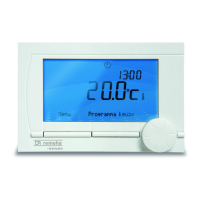
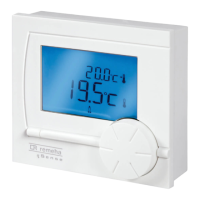
REMEHA Celcia 20 - User Manual

REMEHA Celcia 20
24 pages
Print Icon
To Next Page IconTo Next Page
Loading...
Montage instructie / Gebruikershandleiding
Assembly instruction / User manual
Instructions de montage / Mode d'emploi
Montageanweisung / Gebrauchsanleitung
Remeha
Celcia 20 gateway

Other manuals for REMEHA Celcia 20

Questions and Answers

  • D
    Derrick WernerJul 26, 2025
    What to do if the REMEHA Gateway modem does not answer?
    • M
      moralesmichaelJul 26, 2025
      If your REMEHA Gateway modem isn't answering, first ensure that the modem is switched on. Also, verify that the telephone line is correctly connected.
  • C
    cindypearsonJul 31, 2025
    What to do if there is no communication between PC and REMEHA Gateway?
    • M
      Marcus BellJul 31, 2025
      If there is no communication between your PC and the REMEHA Gateway, verify that you are using the correct cable (S58789). Also, check if the right COM port is selected and ensure that this port isn't being used by another program.
  • R
    ramirezrobinAug 5, 2025
    Why is it impossible to set the PIN code and change the room temperature setpoint on REMEHA Gateway?
    • A
      Amy MoralesAug 5, 2025
      If you're unable to set the PIN code or change the room temperature setpoint on your REMEHA Gateway, ensure that the telephone is set to tone (DTMF). Avoid pressing the buttons too rapidly. Also, the PIN code cannot be 0000.
  • J
    Jeremy MooreAug 10, 2025
    What does code 200 mean on my REMEHA Gateway and how to fix it?
    • M
      mark48Aug 10, 2025
      If your REMEHA Gateway displays code 200 (only for outside temperature control), it indicates that either no outside sensor is connected or the controller is defective. Check the outside sensor.
  • D
    Danielle PadillaAug 16, 2025
    What to do if it takes a long time before the REMEHA Gateway modem answers?
    • B
      Bridget PughAug 16, 2025
      If it takes a long time for the modem to answer with the REMEHA Gateway, use the PC program to set the minimum time or number of rings before the modem answers.
  • G
    Gina ShawAug 20, 2025
    What to do if REMEHA Gateway displays code 204?
    • K
      Kerri BurnettAug 20, 2025
      If your REMEHA Gateway displays code 204, and a water pressure switch is connected, fill the CH circuit.

Summary

Assembly Instruction

Setting Temperature by Telephone

Dial Up Connection

Initiate telephone connection to the gateway for remote temperature control.

PIN Code Entry and Confirmation

Instructions for entering and confirming the security PIN code via telephone.

Entering Desired Room Temperature

Procedure to input room temperature and understand system feedback.

Ending the Telephone Session

Steps to disconnect the telephone session and restrictions on re-dialing.

PC Connectivity

Counter Reset Procedure

Solar Boiler System Connection

Troubleshooting Error Codes

Error Code 200: Outside Sensor Issue

Indicates a missing outside sensor or a defective controller.

Error Code 201: Gateway-Boiler Communication

Gateway fails to receive a response from the boiler.

Error Code 202: Gateway-Celcia Communication

Gateway fails to receive a response from the Celcia unit.

Error Code 203: Celcia-Slave Communication

Celcia fails to receive a response from the slave unit (boiler or gateway).

Error Code 204: Gateway Input 2 Open

Gateway input 2 remains open after one minute, check water pressure.

PC and Gateway Communication Failure

No communication established between the PC and the gateway.

Slow Modem Response Time

Modem takes an extended period to answer incoming calls.

Telephone Input Difficulties

Issues setting PIN code or room temperature via telephone.

Modem Not Responding

The modem is not operational or fails to respond.

REMEHA Celcia 20 Specifications

General IconGeneral
TypeRoom Thermostat
MountingWall-mounted
Power SourceBattery
Temperature Range5°C to 30°C
Accuracy±0.5°C
DisplayLCD
Voltage2x AA batteries

Related product manuals