4
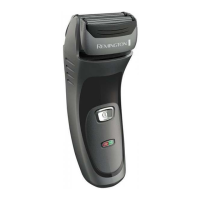
PARTS
1. On/o switch
2. Foil screens
3. Cutter assembly
4. Charging indicator lights
5. Hairpocket
6. Power port
7. Pop-up trimmer
8. Head release buttons
9. Head lock button
10. Stubble head gaurd
Not shown:
11. Adaptor
12. Cleaning brush
GETTING STARTED
CHARGING YOUR SHAVER
1. Ensure the product is switched o.
2. Connect the shaver to the adapter and then to the mains.
CHARGING INDICATOR LIGHTS
Charge Level Lights
Charging
The lights will come on one after the other then go o in
a repeating pattern.
Fully Charged Both lights will come on for 5 minutes then go out.
Low charge/charging
required
The bottom light will ash rapidly.
Battery capacity 50%
or higher
Both lights will come on.
Battery capacity 50%
or lower
The bottom light will come on.
• Run time from fully charged is up to 45 minutes.
• Charge time from empty is 4 hours.
• To preserve the life of your batteries, let them run out every 6 months then recharge
for 24 hours.
INSTRUCTIONS FOR USE
It is recommended that you use your new shaver daily for up to four weeks to allow time for
your beard and skin to become accustomed to the new shaving system.
ENGLISH
5 / 122



 To Next Page
 Loading...