7
• Pressthebuttonagaintwiceforspeed3
, TIP: When changing brush heads, test each head on different speeds to
identify which is most comfortable for you.
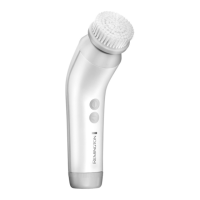
7 Gently glide the brush over the skin in circular motions avoiding the
delicate eye area. Fig. 4 When you feel a pause, move to the next area.
, NOTE: Try to avoid applying too much pressure with
the brush when directly on the skin. If this happens
the brush will automatically stop its cycle and switch
off. This is perfectly normal and helps to ensure a
comfortable treatment. The cleansing brush can be
restarted by pressing the On switch.
• Ifyouwishtoendthecleansingcycleearlypressthe
On/ Off button as per below:
• Whenusingspeed1,pressOn/Offbutton3times
• Whenusingspeed2,pressOn/Offbuttontwice
• Whenusingspeed3,pressOn/Offbuttononce
• Whennotinuse,storethebrushattachmentswiththe
protective caps on. Fig. 5
• Ensurethebristlesaredrybeforeattachingthe
protective cap.
C REPLACING THE BRUSH HEADS
, Removing the brush head:
• Holdthebrushhandlewithonehand.
• Withtheotherhand,gentlypullthebrushheadupwardsuntilitcomesoff.
Fig. 6
• Toreplacethebrushhead,gentlypushtheheadbackonuntilyouheara
click. Fig. 7
Fig. 5
Fig. 4


 To Next Page
 Loading...