6
, NOTE: If you suffer from sensitive skin, we recommend selecting speed setting
1 for the first few uses. If you do not experience any skin reactions then
speeds2&3maybeused.
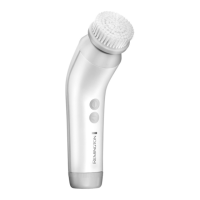
• TheCleansingBrushalsocomesequippedwithaoneminutetimertohelp
ensure thorough cleansing of the whole face.
We recommend cleansing in 3 sections: T-Zone (1), Right side (2) and Left side
(3). Fig. 2
• Thecleansingbrushwillgentlypauseevery20secondstoindicatewhento
move to the next zone
• Thecleansingbrushwillautomaticallyswitchoffafter60secondstoindicate
the end of the brushing time.
, NOTE: If you change speed setting’s during cleansing, the timer will set back
to zero and the timer will start again.
F HOW TO USE
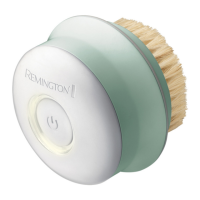
1 Select the brush head to suit your skin type and
cleansing need. Gently push the bush head onto the
cleansing brush handle until you hear a click. Fig. 3
2 Moisten the brush bristles by running under water.
, NOTE: DO NOT use the cleaning brush whilst completely
dry as this can cause skin irritation.
3 Dampen your skin with water and apply cleanser onto
your skin. Alternatively, apply your cleanser directly onto
the brush.
4 Place the cleansing brush directly onto your skin.
5 Switch on using the On/Off button.
6 Select the speed:
• Thecleansingbrushwillautomaticallystartonspeed
one.
• Pressthebuttonagainforspeed2
1
Fig. 2
3
2
Fig. 3


 To Next Page
 Loading...