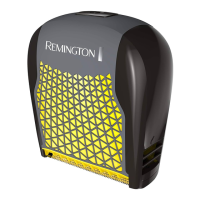
ATTACHING THE GROOMING ATTACHMENTS
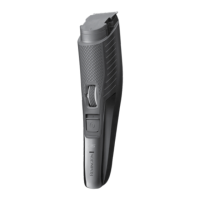
• Hold the trimmer in one hand with your thumb securely on the zoom
wheel to keep it from turning. Ensure the length position indicator is
at 0.4.
• Slide the comb down the grooves until it clicks into place.
• The comb can only be attached one way.
ADJUSTING THE TRIM LENGTH
• The trimmer comb can be adjusted to give you 17 different trim
lengths simply by turning the wheel to the desired setting.
• Select the comb length by rotating the zoom wheel upwards to
increase the length and downwards to decrease the length. Please see
the table below for the different length increments.
• The wheel will click into place as it reaches each setting and the
setting number will appear on the length position indicator.
Setting Cutting Length
0.4 0.4mm
1 1mm
1.5 1.5mm
2 2mm
2.5 2.5mm
3 3mm
3.5 3.5mm
4 4mm
4.5 4.5mm
5 5mm
6 6mm
8 8mm
10 10mm
12 12mm
14 14mm
16 16mm
18 18mm
Note: Trimmer comb must be attached to the product in order to use the
hair length selector.


 To Next Page
 Loading...