(SSPUMVYTH[PVUJVU[HPULKVU[OPZZOLL[PZ[OLWYVWLY[`VM9LTV[L2PUN7;@3;+
<UH\[OVYPZLK\ZLVYYLWYVK\J[PVUPZWYVOPIP[LK
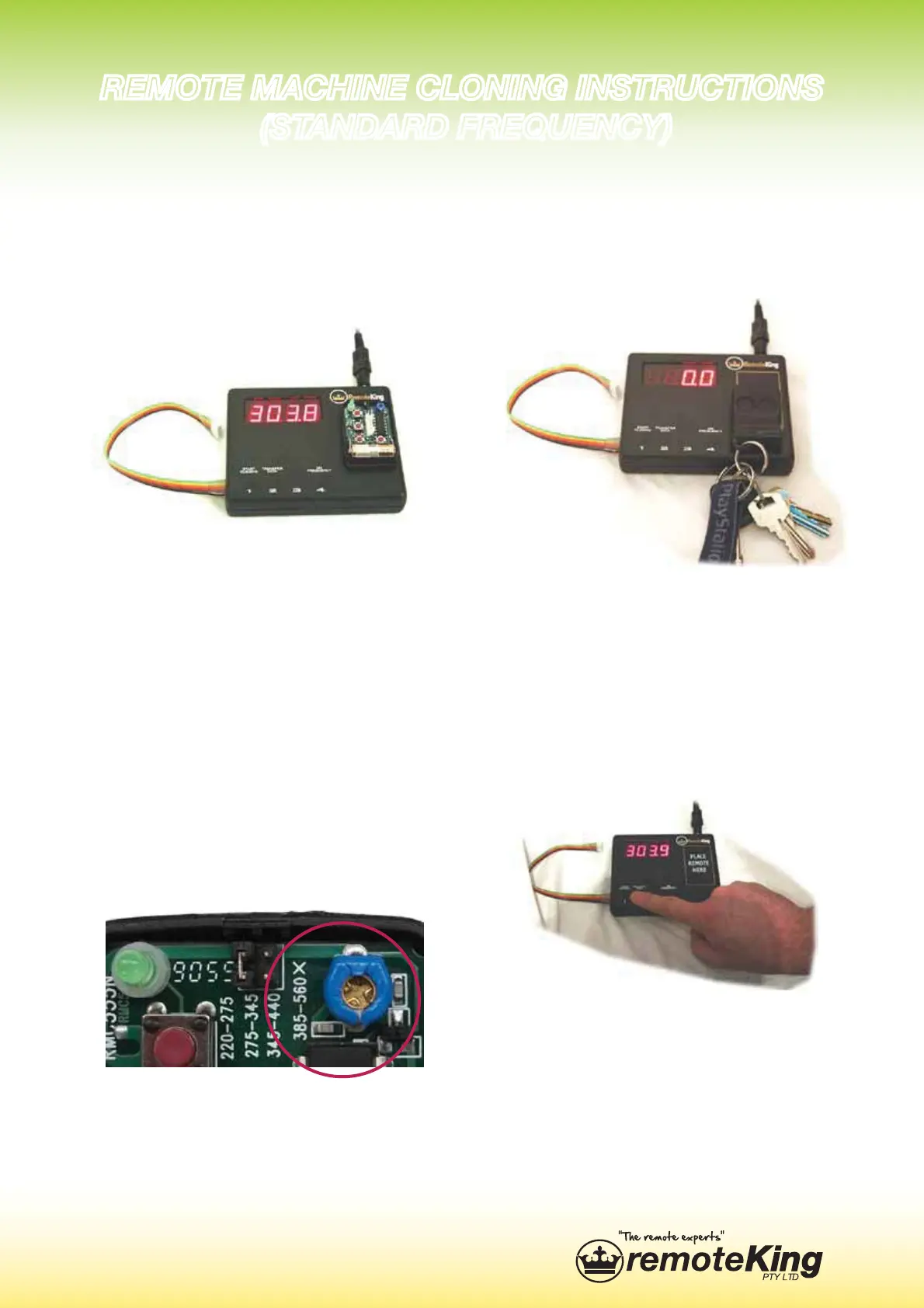
5. Replace the original remote,
with an RCR10 in the position
that is marked “Place remote
here”.
:KLOH KROGLQJ GRZQ DQ\
button on the RCR10, adjust
the frequency by turning the
frequency tuner. Tune the
RCR10 to match the frequency
you noted down from the origi-
QDOUHPRWHRQO\WKH¿UVWQXP-
bers are required.
7. Replace the RCR10, with the
original remote once again.
8. Press button 1 on the clon-
ing machine to begin the clon-
ing process.
9,46;,4(*/05,*36505.05:;9<*;065:
:;(5+(9+-9,8<,5*@



 To Next Page