5
4. How to use REMOVU M1+A1
REMOVU M1
REMOVU A1
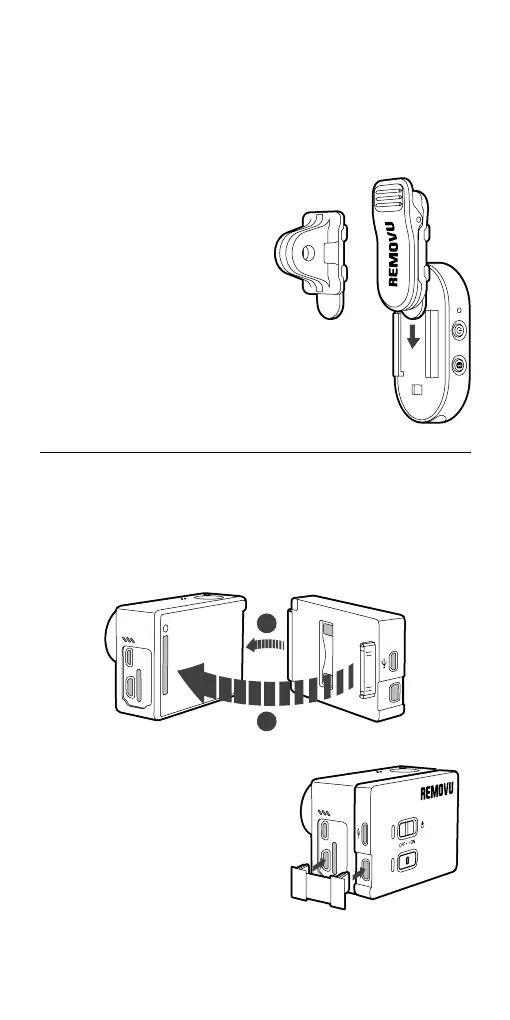
1. Attach the A1 to the back of your GoPro as illustrated below.
2. Make sure plug the device into
the slot all the way.
3. Plug the connector to the GoPro
and the A1.
4. To detach, just follow previous
steps backwards.
Attaching swivel collar clip or
mount connector on M1.
or
Attaching the A1 to GoPro.
1. Slide the collar clip into the
guide rail located on the back
of M1.
2. Clip-on the device to your
collar or mount any place you
wish to attach it to.
3. You can rotate the M1 in the
desired angle.
1
2


 To Next Page