7
6
EN
How the AERO ✓
TM
QUATTRO
+
works
Your AERO ✓
TM
QUATTRO
+
has a multi-stage ltering system; this means as air passes
through the purier, it is cleaned multiple times. The multi-stage ltration system
incorporates the following stages, eectively ltering dust, pollen, mold, smoke, pet
dander, odors and bacteria.
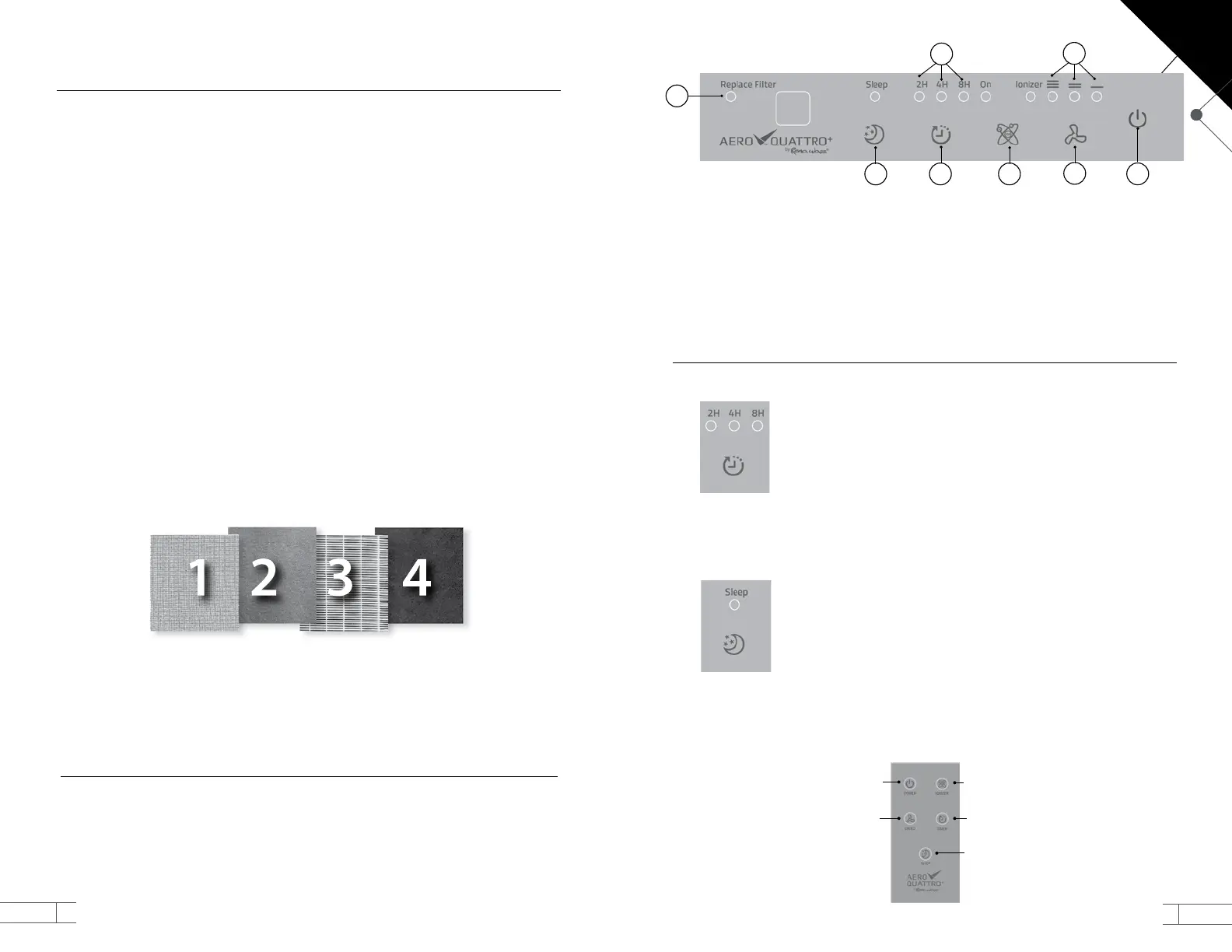
Stage 1 – Nano Silver Coated Pre-Filter
An open cell of Polyurethane (PU) foam layer blocks larger particles. This layer is treated
with nano silver particles to prevent the further growth of any microorganisms trapped
on the surface. The front of the cartridge can be carefully vacuumed if necessary.
Stage 2 – Antimicrobial Layer
A ne mesh captures microorganisms preventing them from reaching, and clogging
the HEPA layer
Stage 3 –True HEPA Filter
A High Eciency Particulate Air (HEPA) layer, lters particles as small as 0.3 microns,
it means, more than 200 times smaller than a human hair. True HEPA lters create a
“torturous path” meaning a path with so many twists and turns, the particles eventually
nd themselves on the outside of the airstream and are trapped by one of the bers of
the lter.
Stage 4 – High Capacity Activated Carbon Layer
The nal stage is a High Capacity Activated Carbon Filter that acts like a sponge absorbing
a wide range of gases, chemicals, and odors, giving the air a fresh smell.
Ionizer
The Ionizer on the AERO ✓
TM
QUATTRO
+
generates a steady stream of negatively charged
ions that bond with positively charged contaminants making them easier for the lter
to capture. It also helps to freshen stale room air. You can turn this feature on or o.
Operation
Your AERO ✓
TM
QUATTRO
+
is easy to operate. Plug the air purier into a properly
grounded power source; then press the Power button on either the remote control
or the unit panel. The fan speed will automatically start at the “Low” setting. Press the
“Speed “ button to switch between High, Medium, and Low. Press the “Ionizer” button
to turn on the Ionizer function.
WARNING: Do not use an extension cord.
EN
Features
Your AERO ✓
TM
QUATTRO
+
has several features to make the use of it even easier:
Timer
The timer lets you set your AERO ✓
TM
QUATTRO
+
so that it
automatically shuts o after a set amount of time has passed – 2,
4, or 8 hours from the time you set it.
To set the timer, press the timer button on the Control Panel or
the Remote Control once for 2 hours, twice for 4 hours, three
times for 8 hours and four times to turn o the function. The
timer function overrides the Sleep Mode. The unit will beep when
the unit turns o.
Sleep Mode
Sleep mode is a low power operation mode for your AERO ✓
TM
QUATTRO
+
. This mode switches the fan to the lowest speed and
turns o the lights in the panel, except the one for the Sleep
Mode, allowing you have a quieter rest. The Sleep Mode does not
override the timer.
SPEED
POWER IONIZER
TIMER
SLEEP
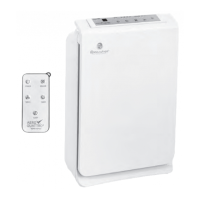
Remote Control: Your unit comes with a convenient ultrathin remote control with all
same functions as the control panel.
1. POWER: Turns the unit on or o
2. SPEED: Adjusts the fan speed
3. IONIZER: Turns the Anion generator
on or o
4. TIMER: Set the timer for 2, 4, 8 hours or
continuous operation
5. SLEEP: Sets the fan to low and turns
the lights o (except the sleep mode
indicator light) so you can have a
quieter rest.
6. FILTER REPLACEMENT LIGHT: lets you
know when it is time to replace the
Filter Cartridge.
7. TIMER INDICATOR LIGHTS
8. FAN SPEED INDICATOR LIGHTS
1
345
6
2
8
EN
7


 To Next Page