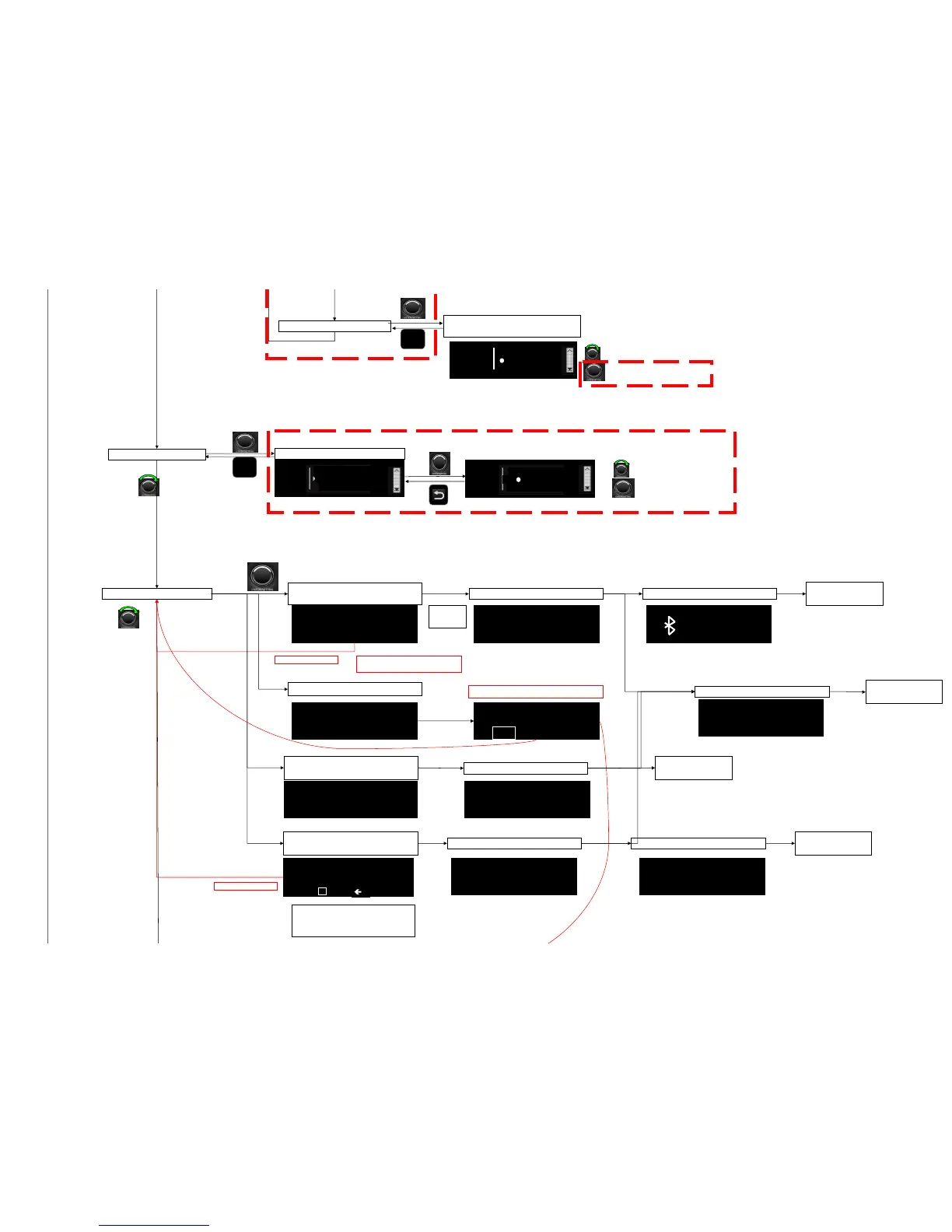
RENAULT Parameters are : AF, TA, REG, PTY31
RDS OPTIONS
PUSH
BACK
Set options
RDS AF
TA
REG
PUSH
TA
ON
OFF
O
Switch to the other line
PUSH
To validate (and go back to
Pair Device
MOBILE PHONE
Ready to Pair screen
PUSH
Ready to Pair
Pin: 1234
Pairing
Connecting...
Pair OK - Connection
ANICALL HC2300
CONNECTED
Cell phone
input of pin
Return to current
Audio source
Max Devices screen
MAX devices already paired
Remove one before pairing a new
one
Max Devices Question
Delete a Phone Now?
YES
NO
NISSAN & RENAULT PIN : 1234
BAD PIN INPUT -
AUDIO DEVICE
with pin code
Pin code :
3 5 _ _
0123456789 VALIDATE
Pairing
Connecting...
Pair OK - Connection
ANIAUDIO DEVICE
CONNECTED
Return to current
Audio source
BAD PIN INPUT -
Renault:
The user has to enter the 4 digit pin code of its
Bluetooth audio device
Pairing
Failed
Pairing Failed
Pair Device in
Menu **
**
AUDIO DEVICE
without pin code
Connecting...
Connection
AUDIO DEVICE
CONNECTED
Return to current
Audio source
Default audio parameters
Set default audio parameters (yes /
No)
Sets adefault audio parameters
(yes or no)
Switch to the other line
PUSH
To validate (and go back to
previous screen)
BACK
PU



 To Next Page