menu for customising the vehicle settings .
(up to the end of the DU)
customising the vehicle settings ................
(up to the end of the DU)
customised vehicle settings .......................
(up to the end of the DU)
configuration menu ....................................
(up to the end of the DU)
driving ........................................................
(current page)
multimedia equipment ...............................
(current page)
settings ......................................................
(up to the end of the DU)
settings
configuration menu ..............................
(up to the end of the DU)
windscreen washer/wiper ..........................
(current page)
locking the doors .......................................
(current page)
central door locking ...................................
(current page)
doors..........................................................
(current page)
lighting:
see-me-home .......................................
(current page)
1.21
ENG_UD72629_3
Menu de personnalisation des réglages du véhicule (LJL - Renault)
Vehicle settings personalisation menu
VEHICLE SETTINGS CUSTOMISATION MENU (1/3)
Depending on the vehicle equipment,
this function allows you to activate/de-
activate and adjust some of the vehi-
cle’s functions.
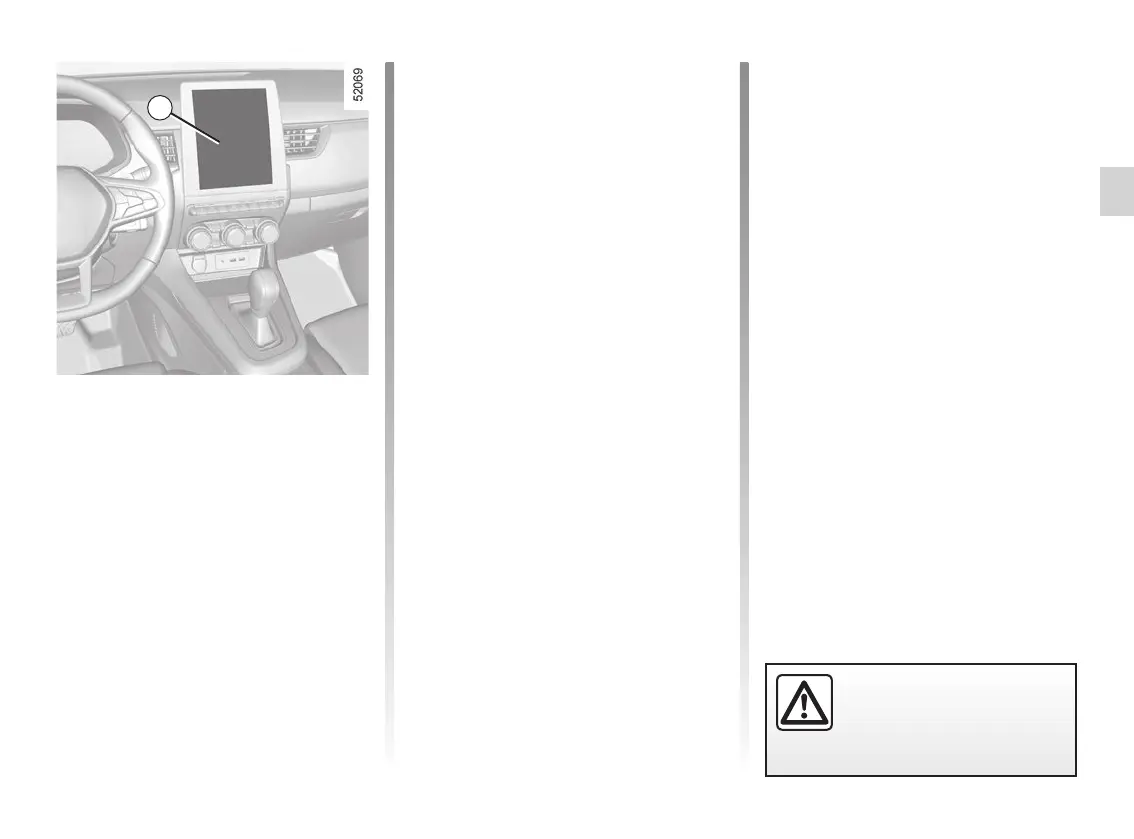
Vehicles fitted with a
multimedia screen 1
Accessing the settings menu
Refer to the various multimedia instruc-
tions for information on accessing the
settings.
1
For safety reasons, carry
out any adjustments when
the vehicle is not being
driven.
d) “Welcome”:
– External welcome;
– Automatic fold-out of mirrors;
– Interior welcome;
– Courtesy light auto mode.
Depending on the function, select:
– “ON” or “OFF” to activate or deacti-
vate,
or
– a duration to adjust the time the lights
are switched on (for the “Follow-me
home lighting” function for example).
Please refer to the multimedia instruc-
tions for further information.
Adjusting the settings
Select a menu then the function to be
modified (the display depends on the
vehicle equipment and country):
a) “Driving”:
– Indicator volume;
– Free wheel in ECO mode.
b) “Access”:
– Unlock driver’s door only;
– Lock doors during driving;
– Opening/closing in hands-free
mode;
– Remote locking/Approach unlock-
ing;
– Silent mode;
– Automatic locking.
c) “Wiping and lighting”:
– Wiping in reverse;
– Automatic front wiping;
– Wiping after washing.










 To Next Page