STAGE 3
Creation of a PIN code to set
remote vehicle controls
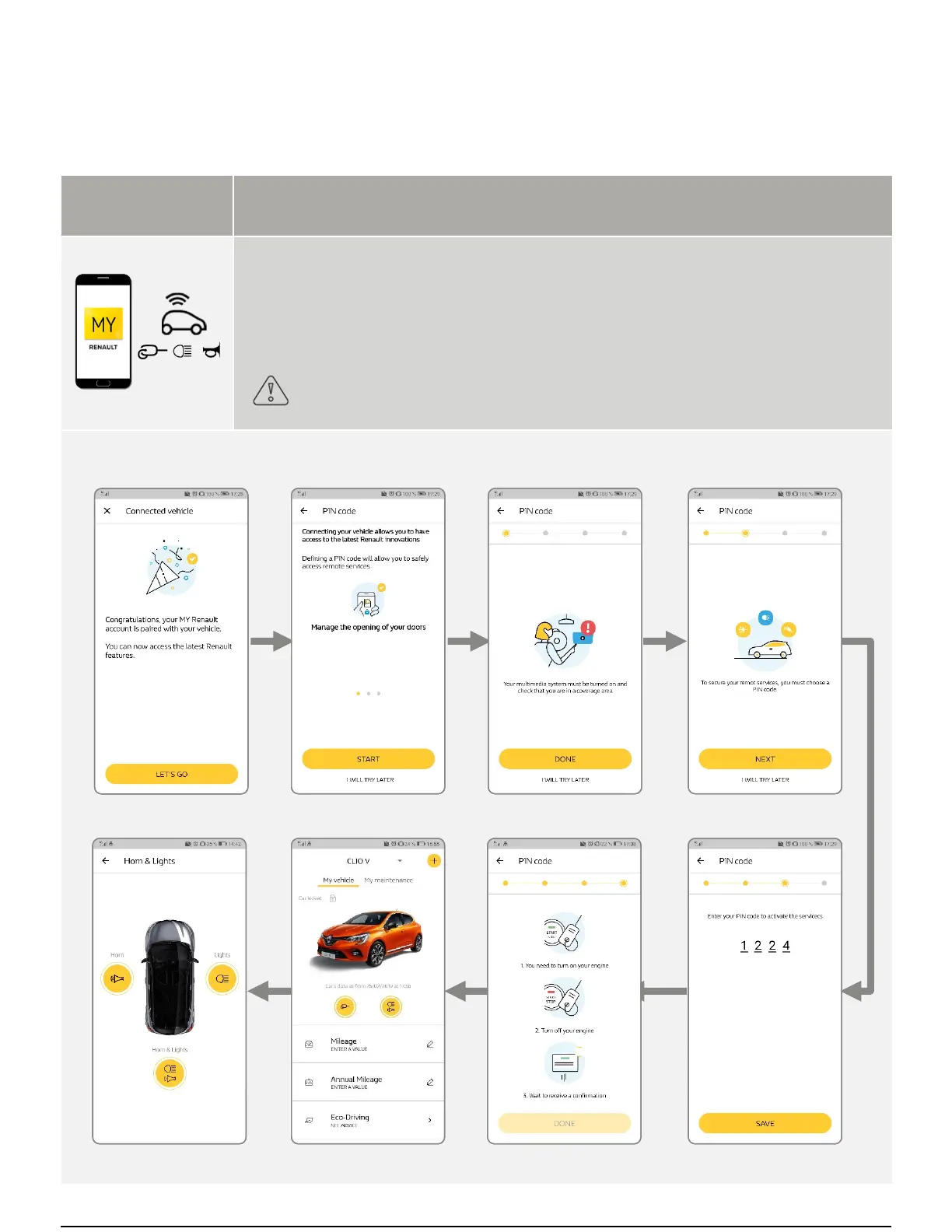
In the MY Renault app, the customer can control certain functions of his vehicle remotely:
Locking and unlocking of the doors
Switching on the lights
Sounding the horn
The customer must create a four-digit code (PIN code) to access control services.
- This code must be kept by the customer
- The code will be required to use the remote control features
Stage 3 handover:
first stages to be carried out with the customer
EASY LINK SYSTEM HANDOVER



 To Next Page