2.23
TYRE PRESSURE MONITORING SYSTEM (1/3)
If the vehicle is equipped with the func-
tion, this system monitors the tyre pres-
sure.
Operating principle
Each wheel (except for the emergency
spare wheel) has a sensor in the infla-
tion valve which periodically measures
the tyre pressure.
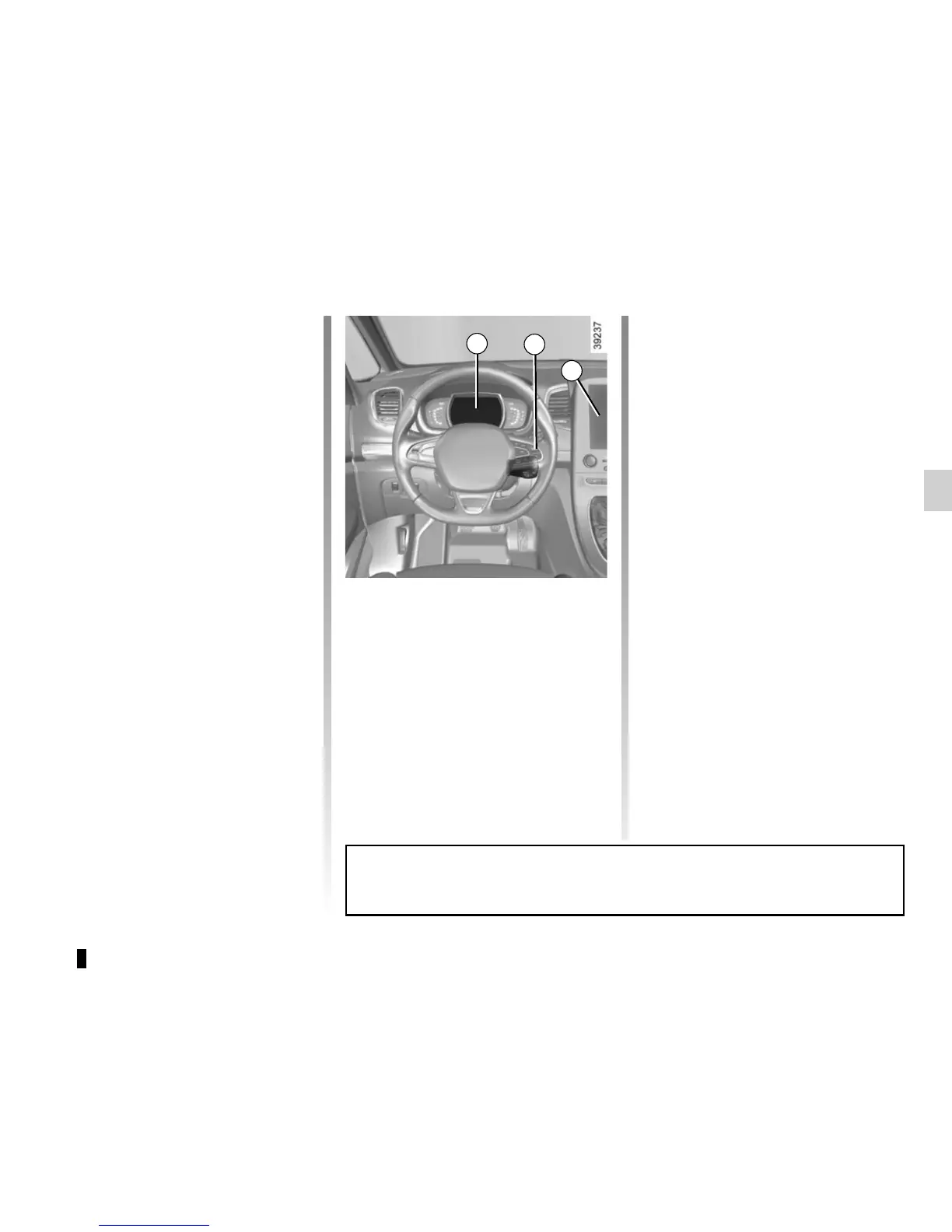
The system displays the current pres-
sures on the instrument panel 1 and
alerts the driver in the event of insuffi-
cient pressure.
Resetting the standard level
for the tyre pressures
This should be done:
– when the standard tyre pressure
needs to be changed to adapt to
usage conditions (empty, carrying a
load, motorway driving, etc.);
– after swapping a wheel (however
this practice is not recommended);
– after changing a wheel.
It should always be done after checking
the tyre pressure of all four tyres when
cold.
Tyre pressures must correspond to the
current usage of the vehicle (empty,
carrying a load, motorway driving, etc.).
2
1
With the ignition on:
– make short presses on the con-
trol 2 to select the tyre pressure dis-
play (see “On-board Computer” in
Section 1);
– press and hold (around 3 seconds)
the button 2 to launch the reset.
Flashing tyres followed by the mes-
sage “Learning TP initiated” then
“Tyres location in progress” means
that the request to learn the refer-
ence pressures has been taken into
account;
– reset can take several minutes of
driving.
If the resetting is followed by short
trips, the message “Tyres location in
progress” can remain displayed after
successive restarts.
Note: The standard tyre pressure
cannot be less than that recommended
and indicated on the door frame.
3
Resetting can also be done from the multifunction screen 3. Select the menu
“Vehicle”, “Tyre pressure”.















 To Next Page