1.73
Trip mileage resetting
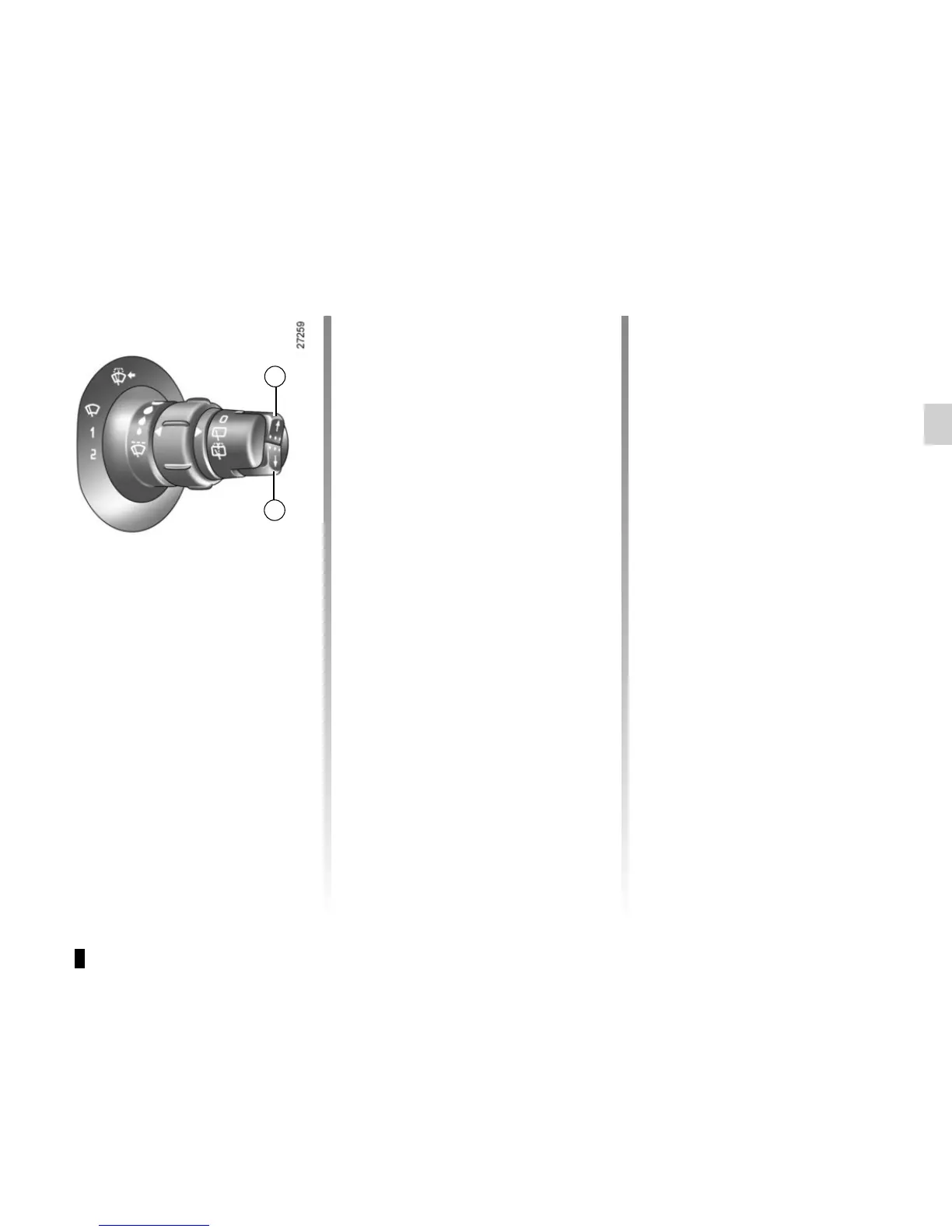
With “trip mileage recorder” selected on
the display, press button 1 or 2 until the
mileage recorder resets to zero.
Resetting the journey
parameters (reset button)
With one of the journey parameters se-
lected on the display, press button 1
or 2 until the display resets.
Interpreting some of the
values displayed after
resetting
Average energy consumption and
speed are all the more stable and reli-
able as the distance travelled from the
last reset is great.
The estimated range displayed after
reset may not be indicative of your true
range (which depends on your driv-
ing style): this is because the on-board
computer is programmed with a prede-
fined consumption over an average of
around 18 miles (30 km). This is gradu-
ally replaced by your true consumption
as the travel distance increases: the
display will be all the more stable and
reliable as the distance travelled since
the last reset is great.
1
2
TRIP COMPUTER: general information (2/2)
Automatic resetting of the
journey parameters
Resetting occurs automatically when
the maximum value of any of the pa-
rameters is exceeded.
Resetting the estimated
range
Press and hold one of the buttons 1
or 2. Estimated range is calculated in
proportion to the traction battery charge
level.
Reading energy consumption
values
Some vehicle equipment items con-
sume energy: the energy consumed
by the vehicle may therefore differ from
the energy consumed on the electric
counter.











 To Next Page