1.86
TRIP COMPUTER: journey parameters (3/4)
Examples of selections Interpreting the display selected
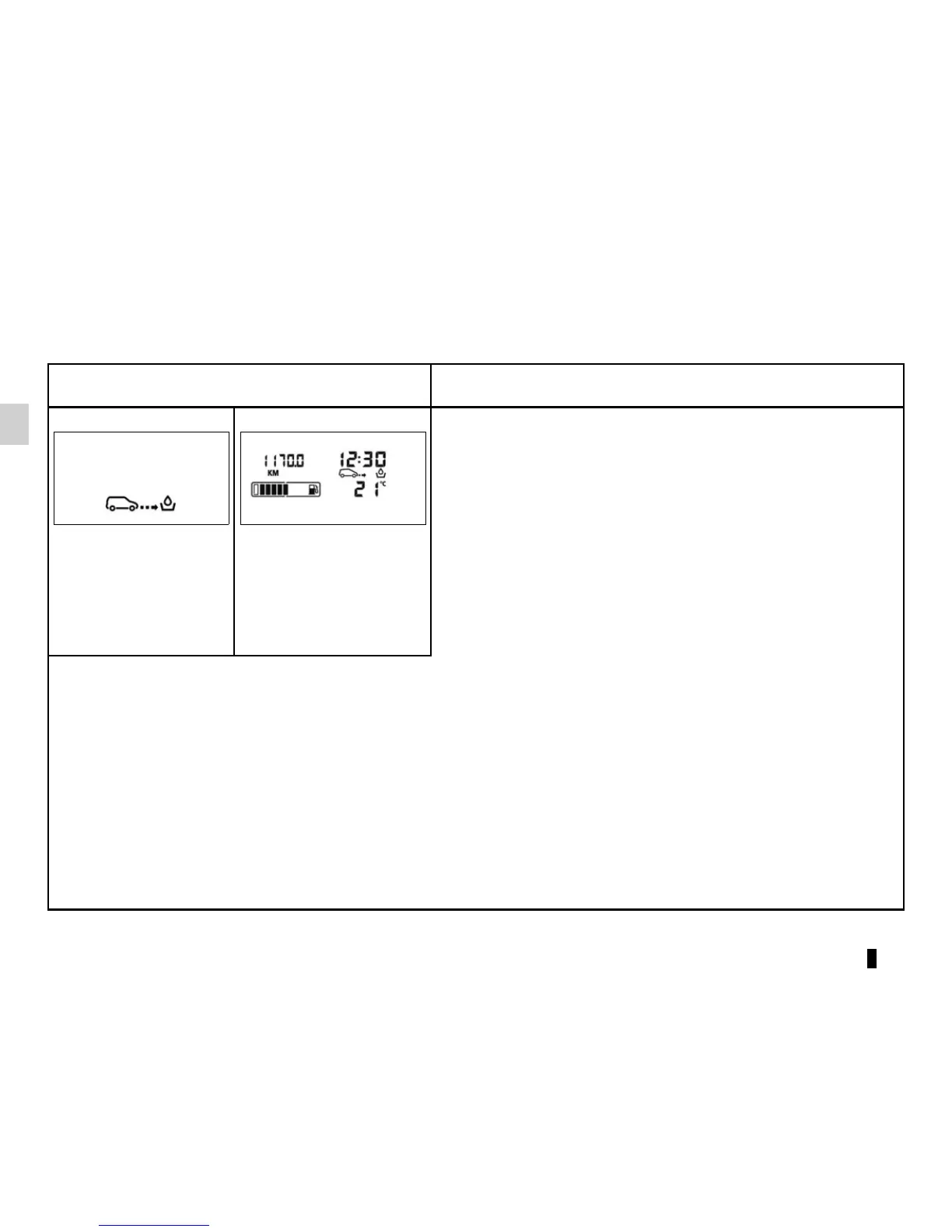
c) Mileage before service
Distance remaining until the next service (displayed in miles/kilo-
metres), then when the service time nears, several scenarios are
possible:
– distance/time less than 1,800 miles (3,000 km) or two months:
depending on the vehicle, the message “SERVICE IN” is dis-
played;
– distance/time remaining 0 miles or service date reached: de-
pending on the vehicle, the message “SERVICEPROMPTLY” is
displayed when the selected display is “mileage before service”,
accompanied by the
9 symbol and the © warning light.
The vehicle requires a service as soon as possible.
SERVICE IN
39624 KM
NB: depending on the vehicle, the mileage before service changes according to the driving style (frequent driving at low speed,
door-to-door journeys, extensive use at idle speed, towing a trailer etc.). The distance remaining until the next service can the-
refore decrease more quickly in some cases than the actual distance travelled.
The service intervals are independent of the vehicle’s maintenance schedule: please refer to your vehicle’s Maintenance
Document.
Resetting: to reset the distance before service with the display selecting “service”, press and hold one of the display reset but-
tons for approximately 10 seconds until the display shows the mileage permanently.
The display of information shown below DEPENDS ON THE VEHICLE EQUIPMENT AND COUNTRY.











 To Next Page