7
NOTES REGARDING SETTING THE ELECTRICAL
STIMULATION INTENSITY:
• Ifyouhavelimitedornoskinsensitivityintheareayou
plan to treat, test the intensity of the stimulation on a
sensitive area (such as between your thumb and rst
nger, or on top of your hand) before starting treatment.
is will ensure that you do not turn the setting too high.
• Eectivetreatmentcanbeachievedwithonlya
slight tingle sensation of the micro-current electrical
stimulation. Be sure to treat the area
of immediate pain and also surrounding areas that may
also be aected by the immediate area of pain.
Step 5: Continue For Up To Five
Treatment Sessions Per Day
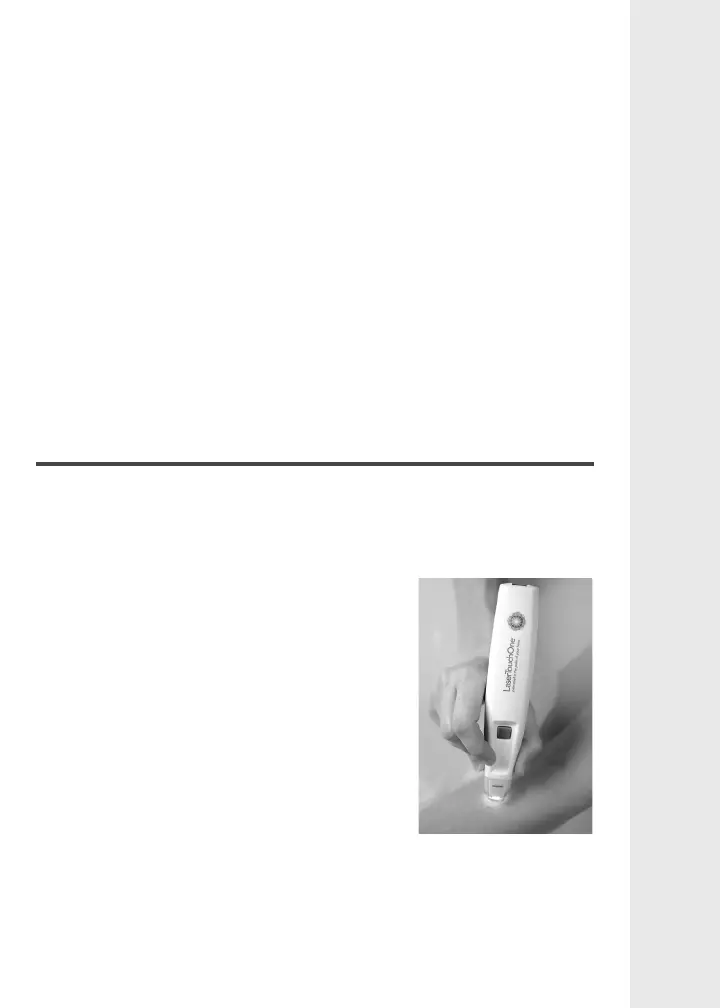
Continue moving the unit in a paint-stroke or circular motion
in the desired area until the LTO and red light turn o after
2 minutes. You can continue your treatment by pressing the
power button again. If you desire to stop the unit at any point,
simply push the power button to turn it
o.
It is recommended that you start
with four to ve 2-minute cycles for a
particular area of pain, and repeat this
up to ve times throughout the day. You
can do this for each area of pain you
wish to treat.
Usually, treatment with the LTO
requires little or no pressure to the area
being treated. However, in areas with a lot of muscle or fat, a
more rm application may be necessary, although the pressure
applied should not be painful.


 To Next Page