34
7. Product overview
a) Internet radio
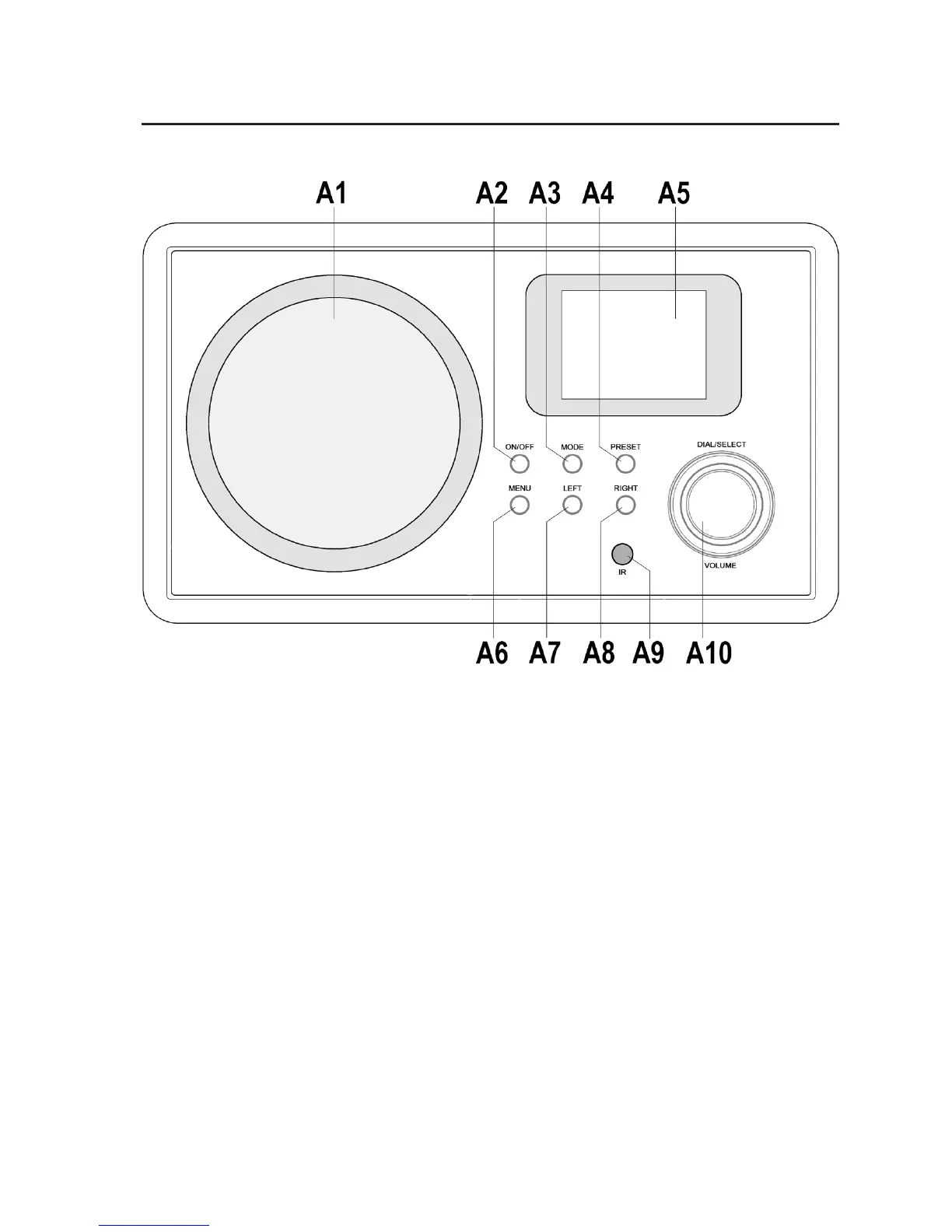
A1 Speakers
A2 Button “ON/OFF”; on/off button
A3 Button “MODE”; to switch the operating type
(FM-radio, AUX, Media Center “UPNP”, Internet radio)
A4 Button “PRESET”; to select the stored channels
A5 Display
A6 Button “MENU”; to open the setting menu
A7 Button “LEFT”; to navigate to the left in the menu or to jump back one level
A8 Button “RIGHT”; to navigate to the right in the menu
A9 Reception sensor for the remote control
A10 Rotary dial/button “DIAL/SELECT”/”VOLUME”; for selection in the menu; to set the volume


 To Next Page