EasyManua.ls Logo

Renogy DCC1212-20 - User Manual

Renogy DCC1212-20
24 pages
Print Icon
To Next Page IconTo Next Page
Loading...
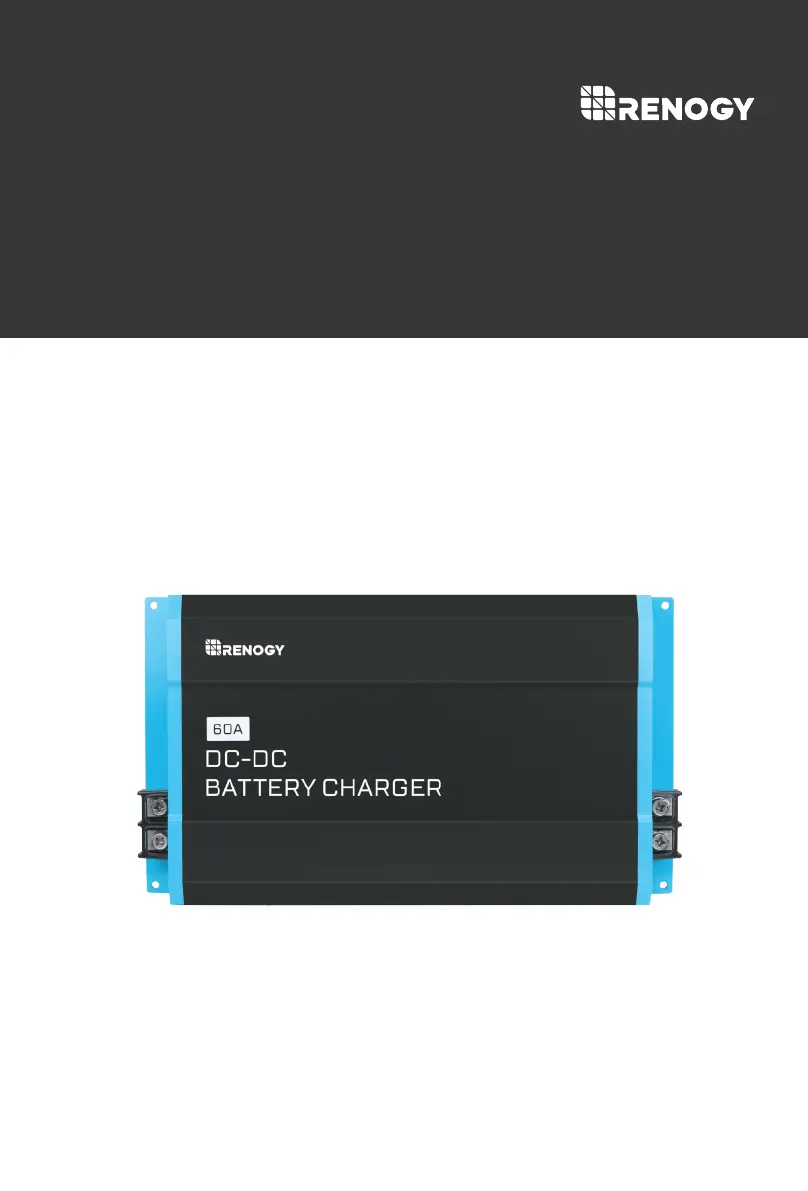
DCC1212-20 | 40 | 60
Version 1.4
DC-DC

Questions and Answers

  • D
    darryl25Aug 5, 2025
    What to do if the battery voltage is too low or too high on Renogy DCC1212-20?
    • B
      Beverly NavarroAug 5, 2025
      The DC-DC requires 12V batteries more than 10V (Lead Acid) and can not exceed 15.5V so no 24V batteries. Use a multi-meter to measure the battery terminals and verify that the dc-dc terminals match the respective values (or similar). Continued problems with batteries may need to be taken to a nearby battery tester at your nearby automotive shop.
  • M
    Michael HoustonAug 15, 2025
    What to do if the Renogy DCC1212-20's green power LED is off, even with correctly connected batteries?
    • A
      Adam SmithAug 15, 2025
      If the green power LED on your Renogy Battery Charger is off despite correct battery connections, it could be due to an incorrect D+ connection or the wrong battery at the input/output. First, ensure a cable connects the D+ terminal (DC Output Side) to the ignition circuit, as the D+ needs a 12V signal to start/stop. You might need to splice the connection. Check your vehicle's fuse box layout to find the ignition line. Second, verify the correct battery placement with tight and secure connections, ensuring no breaks. The DC Input terminals should connect to the starting battery and have a charging source (like an alternator). The DC output terminals should connect to the auxiliary or house battery you're charging.
  • M
    Matthew KaufmanNov 24, 2025
    Why is the red fault LED on my Renogy DCC1212-20 Battery Charger?
    • J
      Jonathan BushNov 24, 2025
      The red fault LED on your Renogy Battery Charger may be triggered by several issues: * **Battery Overvoltage:** Use a multimeter to check the DC input and output batteries, as well as the terminals. Overvoltage is typically between 15.5-16V. Disconnect other chargers and let the battery rest to lower the voltage. Also, double-check the DIP switch settings. * **Battery Undervoltage:** Use a multimeter to measure the DC input and DC output batteries, as well as the terminals. Undervoltage is below 8-10V. Disconnect any loads and allow the battery to charge. Lead-acid batteries below 8V might need an external charger, but lithium batteries should recover. * **Reverse Polarity:** Use a multimeter in DC Volts to probe the positive line onto the positive battery terminal and the negative ...

Summary

Safety Information

General Safety

General safety precautions to minimize risk of electric shock, fire, or injury.

Installation Safety

Safety guidelines for installing the charger, focusing on voltage and environment.

Operation Safety

Precautions for safe operation, including ventilation and avoiding hazardous environments.

Battery Safety

Safety measures when working with batteries, including acid contact and short circuits.

General Information

Key Features

Highlights the main capabilities and advantages of the DC-DC charger series.

Product Overview

Identification of Parts

Identifies the input/output terminals, fans, and ports on the DC-DC charger.

Dimensions

Optional Components

DC-DC Temperature Sensor

Details the function and installation of the optional temperature sensor accessory.

Installation

Location Considerations

Guidance on selecting an appropriate and safe location for the charger installation.

Mounting

Step-by-step instructions and diagrams for physically mounting the DC-DC charger.

Wiring and Fusing

Grounding

Explains the common negative ground concept and connection methods for the charger.

DC Output Wiring

Instructions for connecting the DC output terminals to the house battery.

DC Input Wiring

Instructions for connecting the DC input terminals to the starter battery.

D+ Ignition Wiring

Details connecting the D+ terminal to the vehicle's ignition circuit.

Alternator Recommendation

Guidance on identifying alternator terminals for D+ wiring.

Engine Bay Fuse Block Recommendation

How to find a suitable fuse location for the D+ ignition connection.

LC Current Limit Wiring

Instructions for connecting the LC terminal to enable current limiting.

Operation

LED Indicator

Explains the meaning of the Power LED and Fault LED colors.

DIP Switch Configuration

Configuration of DIP switches for battery types and charging profiles.

Lead Acid Battery Settings

How to configure DIP switches for Lead Acid battery charging.

Lithium Battery Settings

How to configure DIP switches for Lithium battery charging.

Battery Charging Logic

Lithium Activation

Describes the automatic process of awakening a sleeping lithium battery.

Troubleshooting

Electronic Protection

Details common electronic protections and their troubleshooting steps.

More Troubleshooting

Additional troubleshooting steps for common behaviors and causes.

Maintenance

Technical Specifications

Temperature Compensation

Explains temperature compensation and its applicability for charging.

Renogy DCC1212-20 Specifications

General IconGeneral
BrandRenogy
ModelDCC1212-20
CategoryBattery Charger
LanguageEnglish

Related product manuals