EasyManua.ls Logo

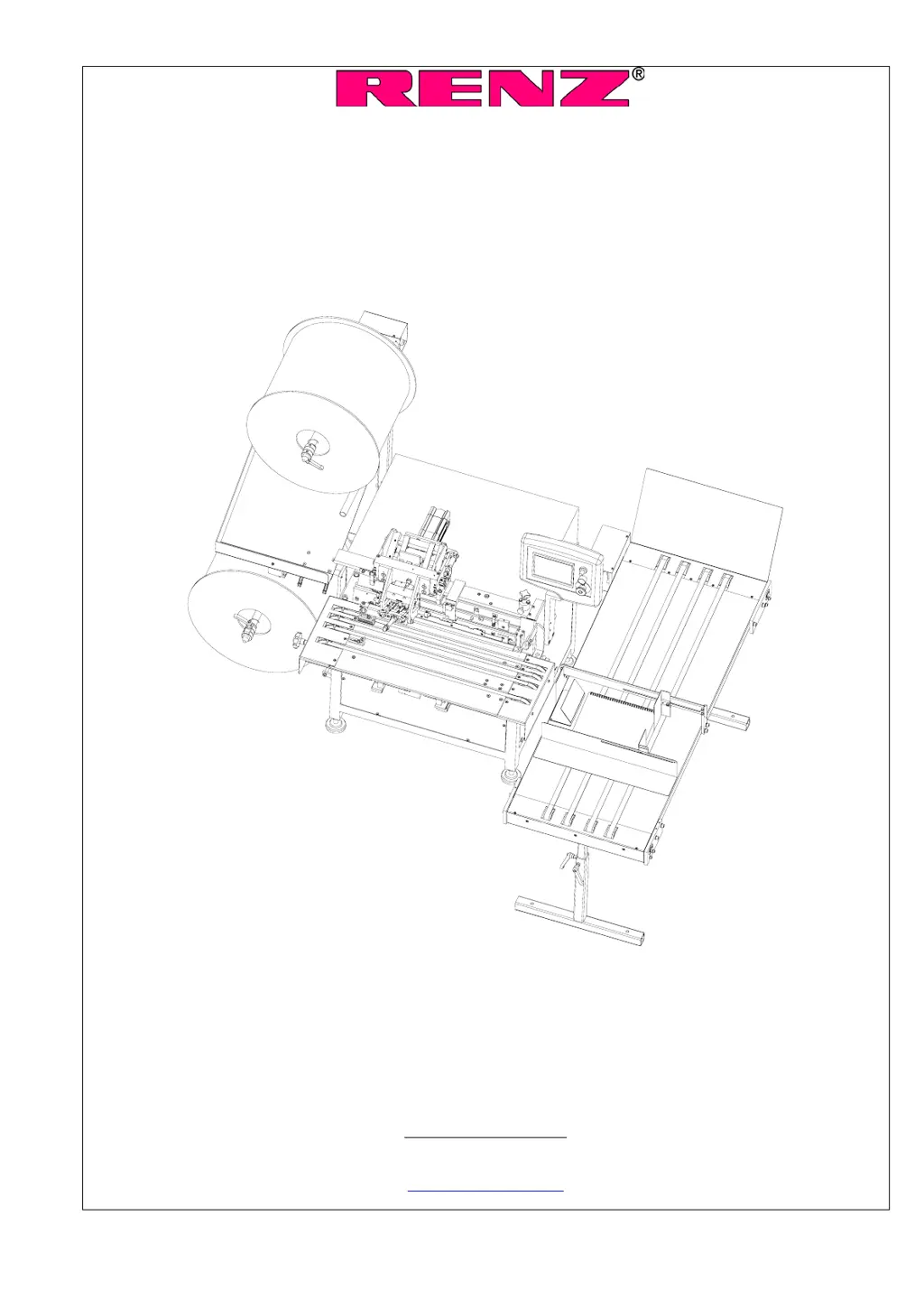
Renz Autobind 500 HS - User Manual

Renz Autobind 500 HS
52 pages
Print Icon
To Next Page IconTo Next Page
Loading...
Manual
Autobind 500 HS
(semi-automatic binding machine)
Chr. RENZ GmbH
Rechbergstr. 44
73540 Heubach
Deutschland
Phone: + 49 (0) 7173/186-0
Fax: + 49 (0) 7173/3720
mail@renz-germany.de
www.renz.com
www.renz-germany.de

Table of Contents

Questions and Answers

  • P
    Pamela AndersonAug 23, 2025
    What to do if Renz Autobind 500 HS Binding Machine displays "empty shaft magazine"?
    • R
      Russell RussellAug 23, 2025
      If your Renz Binding Machine displays the message "empty shaft magazine", here's what you should check: * Ensure that the shaft magazine is filled up. * Verify that the connector at the KAS 300 is properly plugged in. * Confirm that the KAS function is activated on the touch screen only when in use; deactivate it if not needed.
  • J
    Jacob DavisAug 25, 2025
    What causes RING WIRE elements to twist after binding with the Renz Binding Machine?
    • B
      Bruce ColonAug 26, 2025
      If you notice the RING WIRE elements are twisted after binding with your Renz Binding Machine, consider these potential causes: * The closing bars might be adjusted too closely. Try turning the adjusting wheel for the closing limits counter-clockwise. * The side stop of the table may not be correctly adjusted. Readjust the side stop. * The stop for loops with a large diameter may be incorrectly adjusted. Correct the loop stop.
  • D
    Donald KellyAug 27, 2025
    What to do if the belt on the Renz Autobind 500 HS table doesn't move after binding?
    • G
      Gina DiazAug 27, 2025
      If the belt on the table of your Renz Binding Machine does not move after binding, check the following: * Ensure that the belt function is activated. * Verify that the belt speed is not set to "0". If it is, set the speed of the belt to a higher value.
  • N
    nkentAug 27, 2025
    Why is the RING WIRE element not cut in the center by the Renz Autobind 500 HS?
    • C
      Christina BradleyAug 27, 2025
      If the RING WIRE element is not being cut in the center by your Renz Binding Machine, it's likely that the knife is not centered on the wire element. To address this, change to the operation mode "run-in test" and check the position of the knife. Readjust if necessary.
  • P
    Peggy MartinezSep 23, 2025
    What causes malfunction at the separation wheel of the Renz Autobind 500 HS?
    • B
      brooke91Sep 23, 2025
      If you are experiencing a malfunction at the separation wheel, and the shafts are not falling down into the forming area on your Renz Binding Machine, it's likely due to a wrong distance between the two side frames. Adjust the side frames according to the used shaft length.
  • J
    Julie TravisSep 16, 2025
    What causes the RING WIRE not to be evenly closed on the Renz Autobind 500 HS?
    • J
      John BarreraSep 16, 2025
      If the RING WIRE is not evenly closed on your Renz Binding Machine, it indicates that the closing bars are not adjusted parallel. Loosen the clamp screws on the lower closing bar and adjust the closing bar eccentric.
  • H
    harrisjasonSep 18, 2025
    What causes CH to be outside of the binding at one side on the Renz Autobind 500 HS?
    • M
      Michele CummingsSep 18, 2025
      If the CH is outside of the binding on one side when using the Renz Binding Machine, it could be due to: * The KAS-unit not being fixed parallel. Check the position of the KAS-unit and adjust parallel if necessary. * The support rails at the delivery section are clamping. Check the two support rails of the delivery section. They must movable easily.
  • M
    Michael BurnsSep 8, 2025
    Why does the Renz Binding Machine display "shaft magazine empty" even when full?
    • C
      courtneykeithSep 8, 2025
      If the display shows "shaft magazine empty" on your Renz Binding Machine, even though the magazine is full, check the following: * The connector of the sensor is not plugged. Plug in the connector at the KAS. * The sensor is defective. Check the sensor by touching the switch area with a metallic object. LED X1 at the SPS/PLC must light. * The position of the sensor or of the separation wheel is not correct. The shafts must be in the middle behind the sensor with a distance of approx. 0.3 - 0.5 mm. If necessary, tighten the wood brake at the shaft of the separation wheel.
  • T
    Teresa HooverSep 5, 2025
    What causes the Renz Binding to be not round with points of the elements being back?
    • Z
      zacharyjohnsonSep 5, 2025
      If the binding is not round and the points of the elements are back on your Renz Binding Machine, check these: * The table moves too far forward. Adjust the table stop. * Loops are closed too much and are pressed to the front. Turn the manual wheel for the closing limits clockwise. * Too many washers are behind the upper closing bar. Remove some of the shim washers. * Not enough washers are behind the lower closing bar. Put some washers behind the lower closing bar.
  • R
    Rebecca JohnsonSep 6, 2025
    Why is there a different shape of the binding left and right on the Renz Autobind 500 HS?
    • P
      pmullinsSep 6, 2025
      If you notice a different shape of the binding on the left and right sides when using your Renz Binding Machine, consider these factors: * The side stops are not adjusted at a right-angle to the angle stop. Adjust the side stops so that the paper lines up against the angle stop as well as at the side stops. * The perforation is not parallel to the paper edge. Check perforation. * With smaller formats, the upper holding rail is lifted only at the left side. Run an additional book "blind" at the right side of the machine.

Summary

General Information and Safety

Users Duty of Care

Outlines user responsibilities for machine safety and operation.

Safety Instructions and Symbols

Details residual risks, safety precautions, and symbol meanings.

Safety Requirements for Normal Operation

Specifies safety precautions during regular machine use.

Safety for Maintenance and Electrical;Pneumatic Work

Safety guidelines for maintenance, electrical, and pneumatic tasks.

Transport and Installation

Transport Safety Instructions

Provides safety guidelines for moving the machine.

Electrical Connection Guidelines

Instructions and safety for connecting the machine to power.

Touch-Screen Display and Controls

Display Components and Switches

Identifies touch screen, power, rheostat, and emergency switches.

System Startup, Setup, and Operation Modes

Details startup display, setup, and automatic/manual modes.

Numeric Input and Binding Programming Examples

Explains input box usage and programming examples for various pitches.

Example 1: 3:1 Pitch Binding Setup

Continues programming steps for a 3:1 pitch binding.

Example 2: 3:1 Pitch with Hanger Setup

Demonstrates programming for 3:1 pitch with calendar hanger.

Example 3: 3:1 Pitch Skip Binding

Demonstrates programming for 3:1 pitch skip binding.

Adjustment of the Binding Unit

Output Section Adjustments

Troubleshooting AB500 HS

Calendar Hanger Tool (KAS)

KAS Troubleshooting Guide

Lists common KAS errors and their solutions.

Maintenance

Renz Autobind 500 HS Specifications

General IconGeneral
BrandRenz
ModelAutobind 500 HS
CategoryBinding Machine
LanguageEnglish

Related product manuals