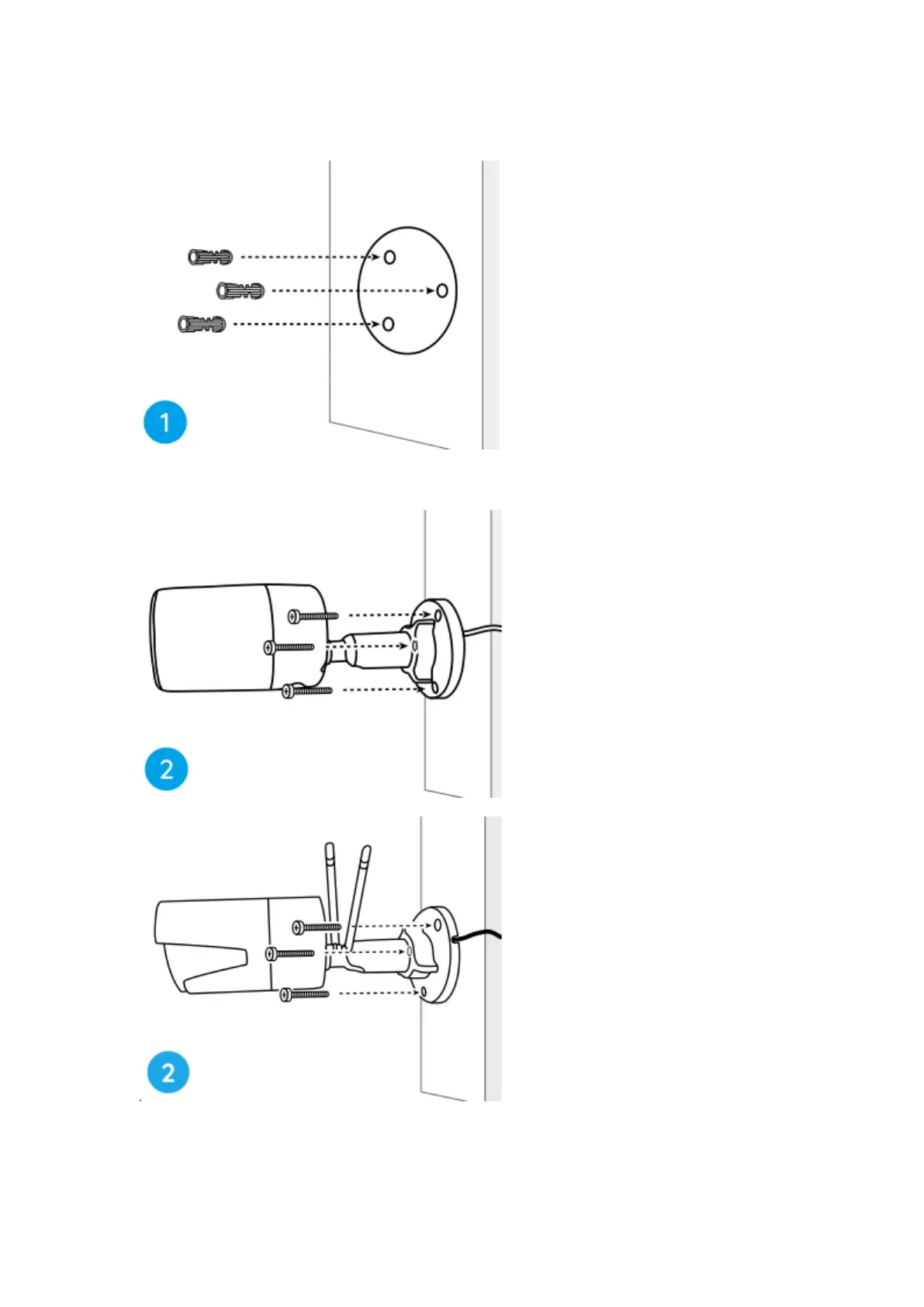
Step 1. Drill holes in accordance with the mounting hole template.
Step 2. Install the mount base with the mounting screws included in the package.
(For WiFi cameras, please install antenna in advance)
Notes:
Run the cable through the cable notch on the mount base.
As for the WiFi camera, it is recommended that the antennas be installed upward


 To Next Page