iGo map Operation
1. Tap on the Navigation view to access
the Navigation menu.
1. Tap on the Navigation view to access
the Navigation menu.
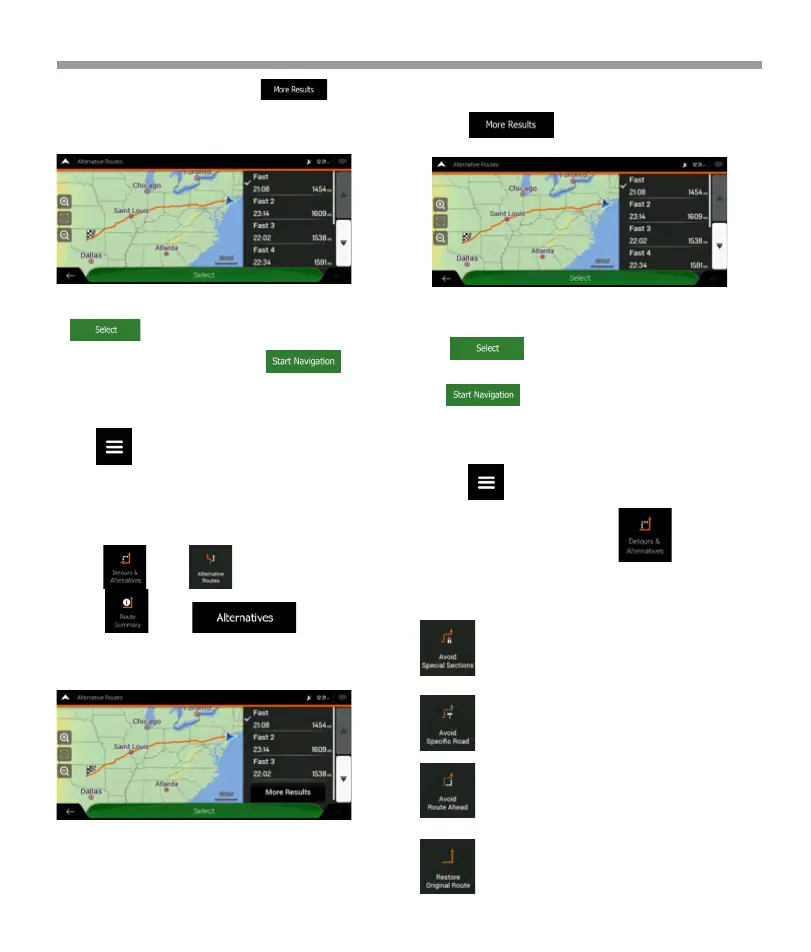
4. To view more suggestions, tap and
scroll down for other alternative routes with
different route planning methods.
5. Select one of the route alternatives and
tap to return to the previous screen. V2
device recalculates the route. Tap to
start your journey. The orange line now shows the
new planned route.
4. If there are more than a few suggestions, you
can tap and scroll down for routes.
3.3.8 Setting a detour
5. Select one of the route alternatives and
tap to return to the previous screen.
V2 device replaces the original route.
Tap to start your journey. The orange
line now shows the new planned route.
2. You can access the list of route alternatives
from the Navigation menu in one of the following
ways:
3. You can see the basic details of a few route
alternatives. Tap any of them to see it on the map.
If there are suitable alternatives calculated with
the route planning method that is selected in
Route preferences , they are shown on top of the
list. Routes with other route planning methods
are shown at the bottom of the list.
* Tap and .
* Tap and .
2.In the Navigation menu, tap .
You can set up a detour for your route in the
following ways:
Tap to open a list of special sections of the
planned route such as stretches of freeway,
toll road or ferry trips. Tap any of these items
on the itinerary to avoid a special section.
Tap to open the full list of roads on the
planned route. Tap any of these items on the
itinerary to avoid that specific road.
Tap to avoid a part of the planned route
that is right ahead of you on the itinerary.
You can set the distance for which you want
to avoid the road ahead.
Tap to delete all detours that you have set
up for the planned route,
58


 To Next Page
 Loading...