5800SMOKEV
Wireless Smoke/Heat Detector
Installation and Setup Guide
This is a multi-criteria wireless smoke
detector which employs advanced levels of
detection and discrimination. This reduces
common cooking nuisance alarms and
allows faster detection to different types of
fire conditions. It is intended for use with
Control Panels that support 5800 series
devices.
To remove the mounting bracket, turn
the top of the detector 15 degrees
counterclockwise and separate the
mounting bracket and top cover.
5800SMOKEV
Open
ENROLLMENT
The smoke detector must be enrolled in the Control Panel before it
can operate in the system. The 5800SMOKEV smoke/heat
protection zone must be enrolled as Loop 1 and “Input Type” 3
(supervised RF).
If programmed, this smoke detector is capable of monitoring the
additional conditions of Maintenance (transmitted as Loop 2), and
Low Temperature (transmitted as Loop 3). Tamper is transmitted as
Loop 4, but does not require programming. To take advantage of
the value added features of Maintenance and Low Temperature, you
must program each loop as a separate zone in the 5800 series
wireless compatible panel.
1. Enter the Control’s Zone Programming mode.
2. Enter the zone number to be programmed.
3. Enter the applicable zone type when prompted. Program
• Loop 1 (Heat/Smoke) as a Fire zone (type 9 or 16),
• Loop 2 (High/Low Maintenance) as a 24-Hr. Trouble zone (type
19), and
• Loop 3 (Freeze Warning Sensor) as a 24-Hr. Aux. zone (type 8).
NOTE: Loop 2 High/Low Maintenance is supported only on
commercial control panels such as the Vista-128FBP.
4. When prompted, enter Input Type 03 (3 on some control panels)
– Supervised RF Transmitter.
5. When prompted for the serial number, transmit from the
detector by activating the tamper switch. To do this, hold
the base of the detector in one hand, and rotate the
detector counterclockwise on the base until it snaps
open. Then return to clockwise position until the detector
snaps into place.
6. When the serial number is displayed, transmit from the
detector a second time by activating the tamper switch
again as described in Step 5. The current loop number
(4) will begin to flash.
7. Manually change the loop number to the desired loop
number for the zone (according to the application).
8. When programming for this zone is complete, program
other zones for the transmitter as necessary (except for
Tamper Loop 4, which does not require programming).
WARNING: The fire protection zone enrolled must
always be Loop 1. Otherwise, fire annunciations will
not be reported by the Control Panel.
9. Exit Programming mode when programming is complete
and test the detector. Refer to the Testing Section.
See the Control Panel’s installation instructions for further
details.
PROGRAM
Consult the Control Panel’s instructions to program the device in the system. This detector reports the following signals to the
Control Panel:
• Smoke and Heat detection
- Smoke Alarm when smoke is detected
- Heat Alarm when temperature of 135° F (57° C) or greater
- Rate-of-Rise Alarm when temperature is >104° F (40° C) @ 15° F/minute (8.33° C/minute).
• Maintenance: Contaminated chamber that requires cleaning
• End-of-Life
• Base Tamper: It sends a tamper signal to the Control Panel when the smoke head is removed from its base.
• Supervision: The detector will transmit its status every 60-70 minutes.
TAMPER
When the detector is removed from its base, it sends a
tamper signal to the Control Panel. OPTIONAL: The
detector can be made tamper-proof to prevent unauthorized
removal from its base. Break off the small pillar on the
base as shown. This causes the detector to latch to the
base. From this point on, to remove the detector from its
base, you must use a small screwdriver to release the catch
(push the catch towards the base) and twist the detector
counterclockwise. A screw can be added to prevent

 Need help?
 General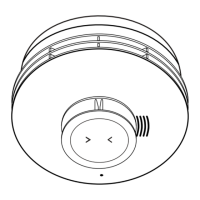

 To Next Page