6
How to use.
System settings & control.
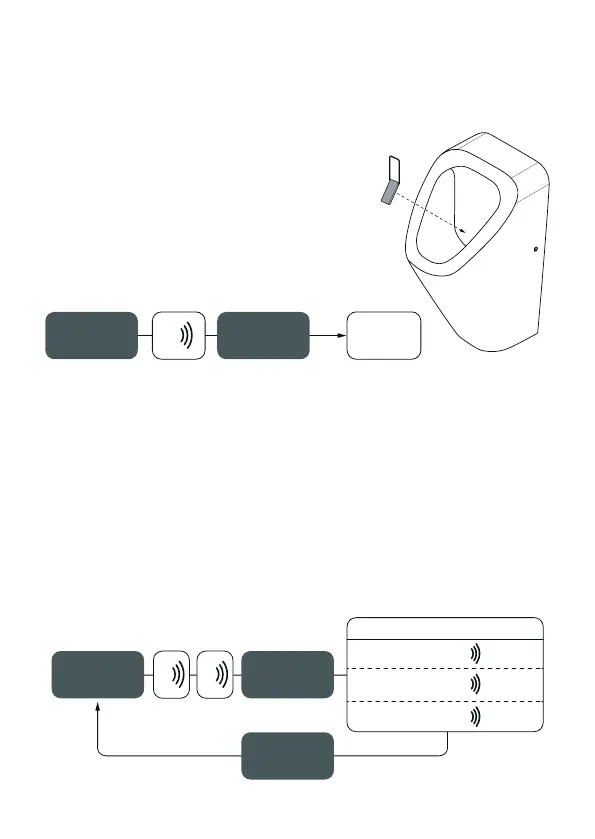
Test flush
Hold the Smart Key against the urinal wall
(there where the sensor is located) until it beeps
3 times. Immediately pull back the Smart Key
and the urinal will flush.
Adjusting flushing volumes
Keep the Smart Key in the urinal against the urinal wall at the height of
the sensor. Hold the key in this position until 2 times 3 beeps sound (so 6
beeps in total). Then pull back the Smart Key immediately and Resisens
will automatically switch to the next mode. A beep indicates which mode is
selected. Repeat these steps to set the desired mode. The urinal will not react
if the key is held against the urinal wall for too long.
hold Smart Key
against the
urinal wall
next flush mode
mode 1; 0,8 liter
1x + flush
mode 2: 1,5 liter
(factory mode)
+ flush2x
mode 3: 3,0 liter
+ flush3x
pull back
Smart Key
completely
repeat steps
for next
flush mode
3x 3x
hold Smart Key
against the
urinal wall
3x
flush
pull back
Smart Key
completely



 To Next Page