EasyManua.ls Logo

RESKAL FA62441 - User Manual

Default Icon
16 pages
Go to English
Print Icon
To Next Page IconTo Next Page
Loading...
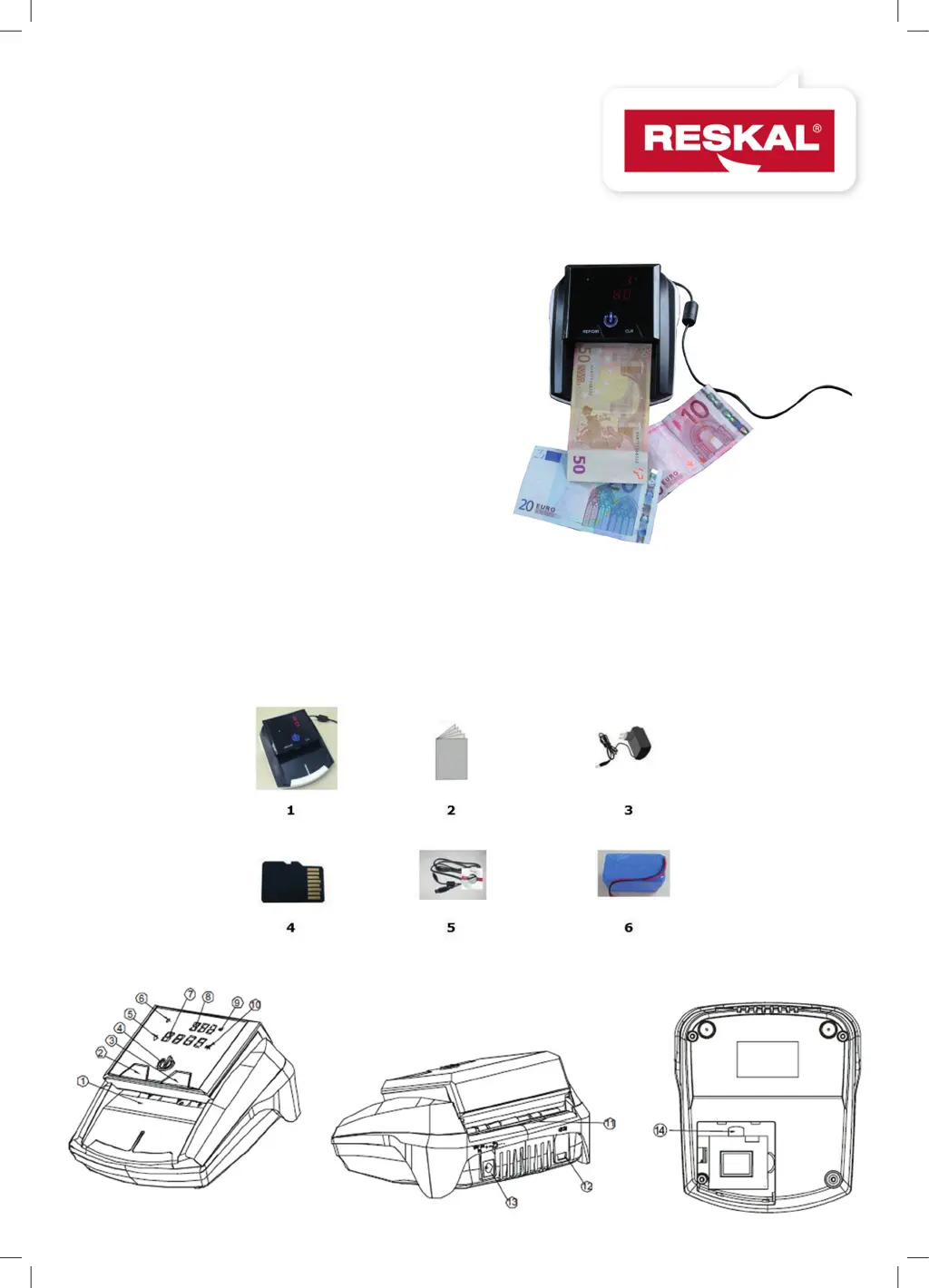
Détecteur de faux billets
Counterfeit detector
FA62441
FA62523
FA62441 CB
LD550
NOTICE D’UTILISATION
USER GUIDE
Photo non contractuelle
2

Questions and Answers

  • S
    Spencer LewisAug 10, 2025
    What to do if my RESKAL FA62441 keeps alarming?
    • M
      Monica Cohen MDAug 10, 2025
      If your RESKAL Security Sensors machine keeps alarming or working abnormally, ensure the main power supply is within the range of AC 100V~240V/50~60Hz and the DC output is within the range of DC 12V±10%. Also, check if the supply plug is well connected and the built-in battery is sufficient. Keep the device away from strong magnetic fields and clear any dust from the sensors.
  • K
    Kevin LucasAug 17, 2025
    What to do if a banknote is blocked in RESKAL FA62441 Security Sensors?
    • P
      pittmanjamesAug 18, 2025
      If a banknote gets blocked in your RESKAL Security Sensors during detection, open the top cover and remove the banknote. Then, attempt the detection process again.
  • P
    Peter MckinneyAug 26, 2025
    How to fix RESKAL Security Sensors self test error?
    • J
      Justin PrinceAug 26, 2025
      If your RESKAL Security Sensors display a self-test error code, it might be due to a blocked sensor. Clean the dust on the sensor or remove any banknotes using a brush or soft cloth. After cleaning, restart the machine.
  • S
    Scott RochaSep 1, 2025
    What to do if RESKAL FA62441 doesn’t enter download mode?
    • J
      Joshua TaylorSep 2, 2025
      If the display window of your RESKAL Security Sensors doesn’t show seven pieces of «-» when trying to enter download mode, retry the steps to connect the USB and power supply again.

Summary

Health and Safety Information

General Safety Warnings

Covers warnings, cautions, and specific safety instructions to prevent damage and injury.

Proper Disposal Guidelines

Instructions for environmentally responsible disposal of the product.

Product Overview and Features

Introduction

Basic introduction to the counterfeit detector's purpose and capabilities.

Key Features

Highlights of the detector's capabilities, including currency detection and portability.

Device Components and Operation

List of Accessories

Details the items included with the counterfeit detector.

Description of Parts

Identifies and explains the different physical parts of the detector.

Operating Instructions

Covers powering the device on/off, setting exit direction, and the detection process.

Troubleshooting and Maintenance

Sleep Mode

Explains the power-saving sleep mode and how to wake the device.

Battery Status

Describes battery charging status and low voltage indicators.

Software Updates

Instructions for updating the detector's software via Micro-SD or USB.

Error Code Display

Lists self-test and detection error codes and their meanings.

RESKAL FA62441 Specifications

General IconGeneral
BrandRESKAL
ModelFA62441
CategorySecurity Sensors
LanguageEnglish

Related product manuals