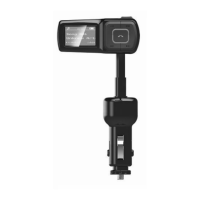
MENUSETTING:
WhentheunitisplayingfromanUSBflashdriveorMicroSDcard,youcanfollowthebelow
instructionstochangethesettings(onlyfromtheFMTransmitter,notsupportedfromtheRemote
Control):
1. Press“ ”buttontopausethemusic.
2. Pressandhold"CH"buttontoaccessthemenulist,use“ ”and“ ”toscrolland“CH’toenter:
*Language–Entertochangetheuserlanguage
*Contrast–EntertochangetheLCDcontrast
*Firmwareversion–Entertoviewthefirmwareversion
*Exit
Distributed by:
TechBrands by Electus Distribution Pty. Ltd.
320 Victoria Rd, Rydalmere
NSW 2116 Australia
Ph: 1300 738 555
Int’l: +61 2 8832 3200
Fax: 1300 738 500
www.techbrands.com


 To Previous Page