EasyManua.ls Logo

Response QM-3856 - User Manual

Response QM-3856
16 pages
Print Icon
To Next Page IconTo Next Page
Loading...
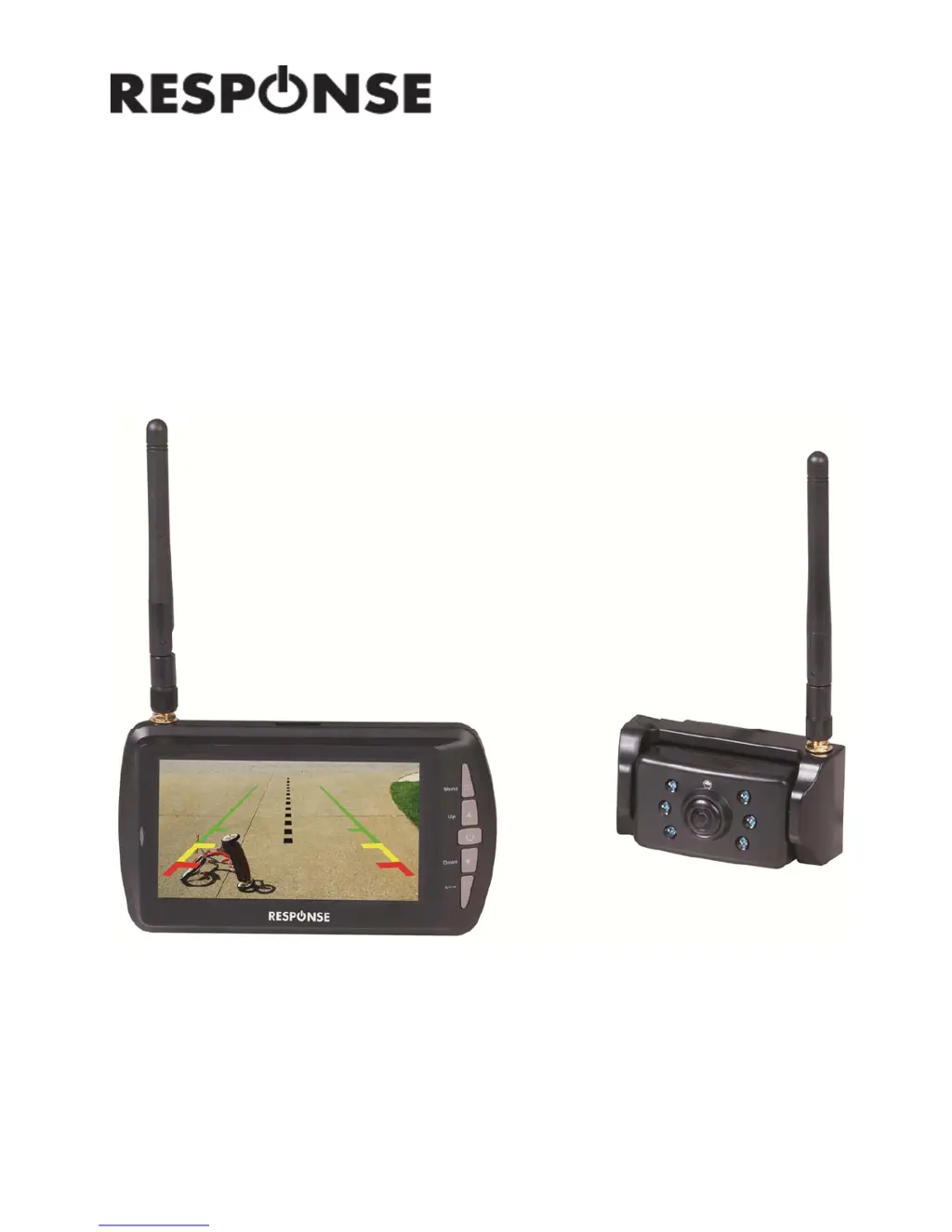
Long Range Reversing
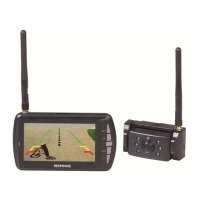
Camera Kit
User Manual
QM-3856

Questions and Answers

  • D
    David HuangAug 2, 2025
    What to do if my Response Automobile Accessories monitor won't turn on?
    • D
      Daniel BoydAug 2, 2025
      If your Response Automobile Accessories monitor isn't turning on, first ensure the monitor's cigarette power socket is securely connected. Then, verify that your vehicle's cigarette socket provides 8-30VDC. Finally, check the fuse in your cigarette light power adapter to see if it has blown.
  • L
    Laura LewisAug 13, 2025
    Why my Response Automobile Accessories monitor and camera not pairing?
    • J
      Jessica DiazAug 13, 2025
      If your Response Automobile Accessories monitor and camera aren't pairing, first check that the camera is receiving 8-30VDC power. Next, ensure the polarity (positive & negative) of the camera wiring is correct. As a last step, try reducing the distance between the camera and monitor during the initial pairing process.
  • R
    Robert WhitneyAug 23, 2025
    How to fix intermittent signal on Response Automobile Accessories?
    • R
      rperezAug 23, 2025
      To fix an intermittent signal issue with your Response Automobile Accessories, start by checking that the antennas on both the camera and monitor are securely attached. If the problem persists, the distance between the camera and monitor might be too great; try reducing it. As a final measure, attempt to pair the camera and monitor again.

Summary

Box Contents

Monitor and Camera

Lists the included monitor and wireless camera.

Accessories

Details the suction cup mount and power adapter.

Product Diagram

Monitor Controls

Explains the functions of the monitor's buttons.

Installation

Monitor Installation

Covers positioning the monitor securely on the vehicle using the bracket and suction cup, and connecting it to power.

Camera Installation

Details positioning the wireless camera on the vehicle's rear and connecting it to power and reversing lights.

Operation

Pairing

Process for pairing the camera and monitor for wireless connection, including visual cues.

Setup Menu

Explains how to access and navigate the main setup menu for display, mirror, and version settings.

Display Settings

Select camera display modes (single, split).

Mirror Settings

Adjusts image orientation (normal, up, flip).

Version Information

View device version details and clear paired devices.

Picture Settings

Allows adjustment of display parameters like brightness, contrast, and color for optimal viewing.

Brightness Adjustment

Increase or decrease screen brightness.

Contrast Adjustment

Increase or decrease screen contrast.

Color Adjustment

Adjust color saturation and hue.

Troubleshooting

Safety Instructions

Specifications

Monitor Specifications

Details monitor frequency, LCD size, resolution, range, antenna, voltage, current, temperature, and dimensions.

Camera Specifications

Details camera frequency, resolution, sensor, frame rate, lens angle, IR, antenna, IP rating, voltage, current, temperature, and dimensions.

Response QM-3856 Specifications

General IconGeneral
BrandResponse
ModelQM-3856
CategoryAutomobile Accessories
LanguageEnglish

Related product manuals