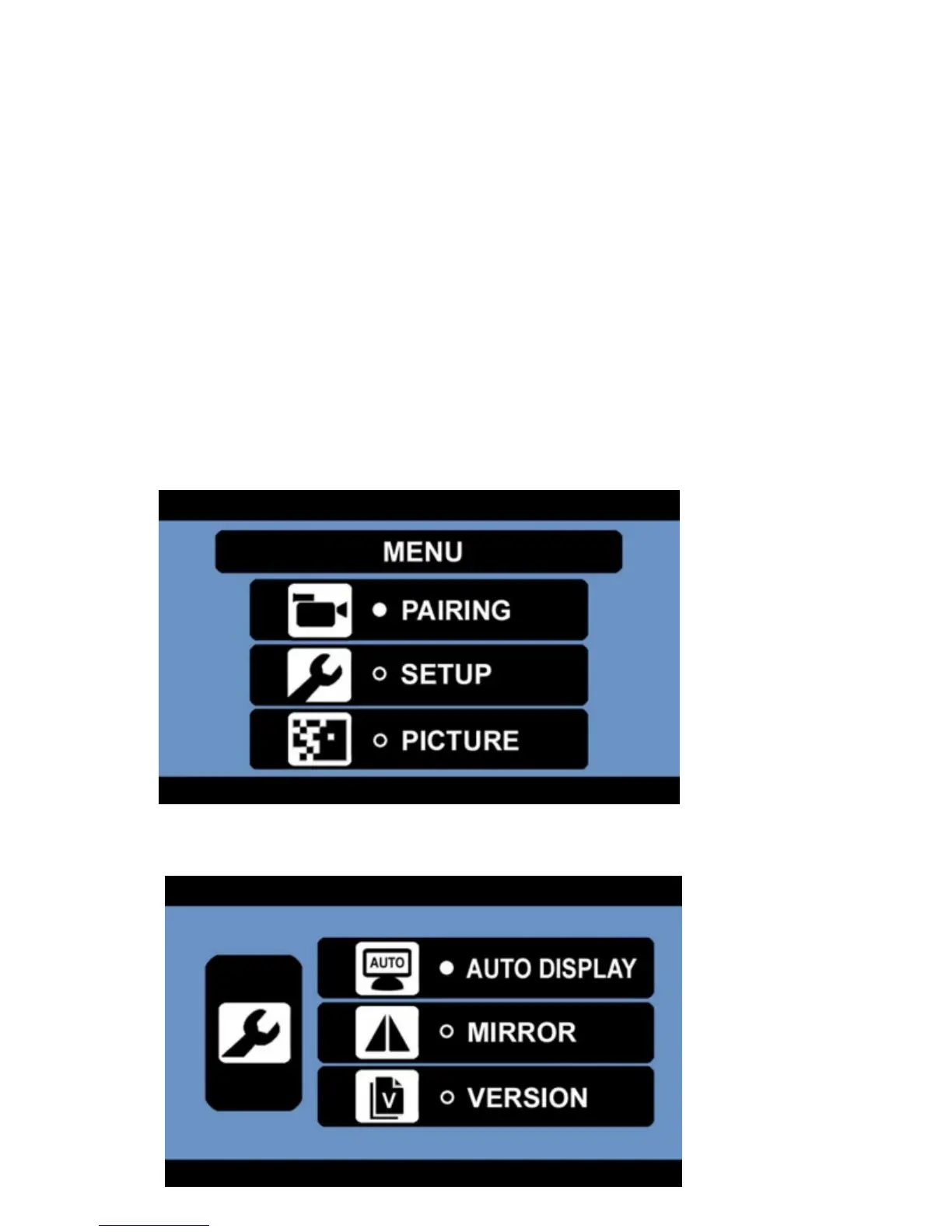
5. Press the MENU / RETURN button to exit to the main menu.
Please Note: If the pairing is unsuccessful, please repeat the procedure again.
If connecting with one of two cameras; they can be both paired simultaneously or individually.
Setup:
Display:
Select between displaying camera 1, camera 2 or displaying both cameras if you have an additional
camera paired.
1. Press the MENU button to enter the main menu.
2. Press the DOWN button to select the setup menu.
3. Press the POWER / ENTER button to enter the setup menu.
4. Press the POWER / ENTER button to enter the auto display menu.


 To Next Page