08
3.6.3) Intelligent connection
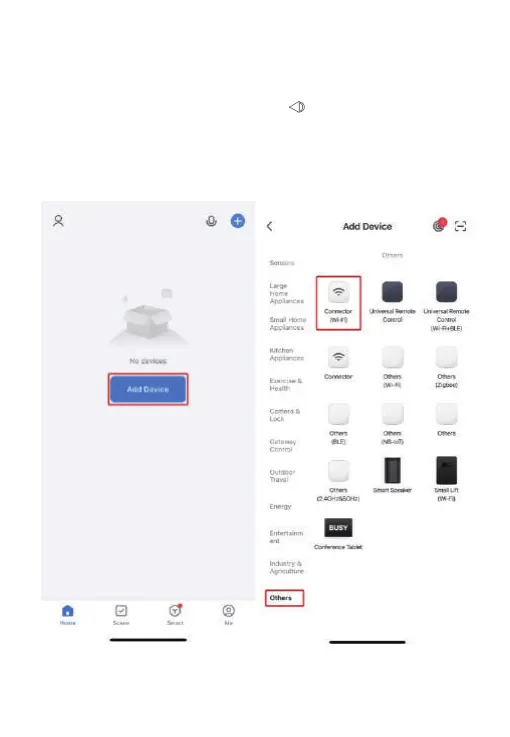
1) First connect your mobile phone to the WIFI router at home, make sure that
the WIFI router at home can connect to the external network normally, enter
the APP homepage, click the [Add Device] icon, select [WIFI Connector] in the
"Others" page, and enter the WIFI input page. Then enter the WIFI password
and click [Next]. At this time, long press the [ ] button of the host. The
white LED indicator light of the host stas to ash quickly, indicating that it
has entered the WIFI conguration state. Click APP [Conrm indicator light
ashes] and select [Quick ash] to sta conguring the network.
Note: Network access conguration must be peormed in the same WIFI.


 To Next Page
 Loading...