14: Use of lock
“[ ] ”
14.1: Lock: in the mode of time and power on, long press“ [ ]” for two seconds, the
symbol“[ ] ” appears on LCD.“[ ] ” emergency function cannot be locked, but all other
buttons can be locked;
14.2: Unlock: in the mode of time and power on, long press “[ ] ” for two seconds, the
symbol“[ ] ” disappears on LCD, and all buttons are unlocked.
14.3: Exclusive shuttle lock function of this product: in the mode of time and power on, lightly
press“[ ]”, the symbol “[ ] ” flashes on LCD. Now“[ ] ” is locked, lightly press
“[ ] ” again, the symbol“[ ] ” disappears and“[ ] ” is unlocked.
15: Choose a working state of marquee
15.1: In the mode of music play (Bluetooth, TF card, AUX-IN): lightly press“[ ] ” to switch
to the working state of marquee.
Lightly press“[ ] ” to see three working states on LCD:
S1: natural flash; S2: quick flash; OF: marquee is off.
15.2: In the mode of reception: lightly press“[ ] ” to switch to the working state of
marquee. Lightly press“[ ] ” to see four working states on LCD:
S1: natural flash;
S2: quick flash;
At: marquee is always on (no flash)
OF: marquee is off
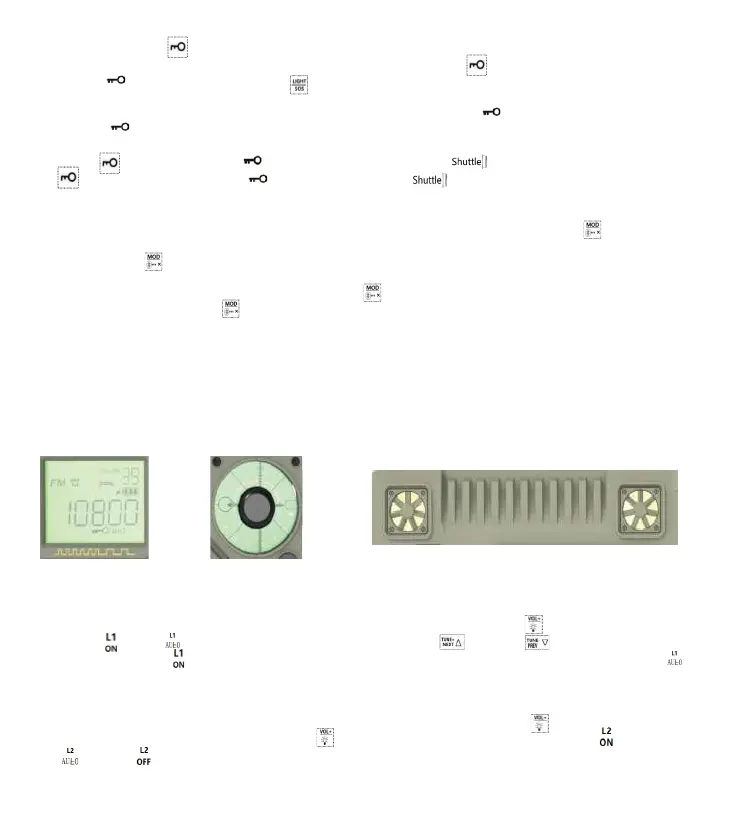
16: Setting of backlight of display window/backlight of pointer disk/decorative light(on
the back of radio)
16.1: L1: backlight can be always on. It will be off automatically after 5 seconds. The
operation is shown as follows: When the time is shown, long press“[ ] ” for 2 seconds, the
symbol“[ ] ”or“[ ] ” appears on LCD. Lightly press “[ ] ” or “ [ ]” to choose from
the two modes. “[ ] ”means L1 backlight is always on when the radio is powered on; “[ ]
”means L1 backlight will be off automatically with no operation in 5 seconds when the radio
is powered on.
16.2: L2 :backlight can be always on. It will be off automatically after 5 seconds. The
operation is shown as follows: When the time is shown, long press“[ ] ” for 2 seconds,
“ L1” appears on LCD. Lightly press“[ ] ” for the second time, the symbol“[ ] ”,
“[ ] ”or“[ ] ” appears on LCD.
L1: backlight of
display window
L2: backlight of
pointer disk
L3:two decorative lights (on the back of radio)
Options for above three kinds of backlight:
14



 To Next Page