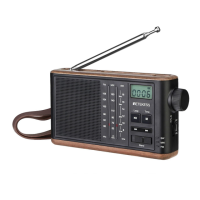
Button function description
ITEM
Symbol
Demodulation
Demodulation mode display;
VOL: **step**
DE-EMP:**ATT**
MONO
MIX:DISPABLE
ANT:ANTO
EQ:**
TEMPRATURE:**
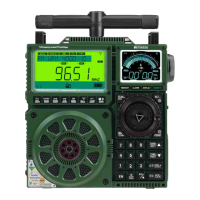
VOL: Volume level display;
STEP: Step value display;
DE-EMP: De-emphasis display;
MONO: Sound channel;
MIX: DISPABLE
ANT: Antenna use;
EQ: Sound eect;
TEMPRATURE: Temperature display;
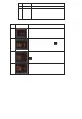
2.2 Description of each working mode of the APP inteace
ITEM
Display inteace for
operating modes
Schema usage description
Radio mode: Indicates that the product is in radio playback
mode at this time
Bluetooth mode: indicates that the product is in the Bluetooth
connection state at this time; the corresponding audio data can
be played through the Bluetooth connection;
at this time, dierent playback sound eects can be selected
through the keys, such as NORMAL (natural), POP (pop music),
ROCK (rock music), JAZZ (jazz), CLASSIC (classical music),
COUNTRY (count music) and other modes;
TF card mode: Indicates that the product is currently in a state
where the TF card has been inseed and the audio data in the
TF card can be played; the name of the track being played will
be displayed at the bottom of the screen; at the same time, click
button to select dierent modes of playback, such as all
loop playback , single loop playback, current folder song loop ,
random loop playback , etc.;
Computer connection mode: At this time, the product has been
connected to the computer PC and can play audio les in the
computer;
03


 To Next Page