9
Step 3:
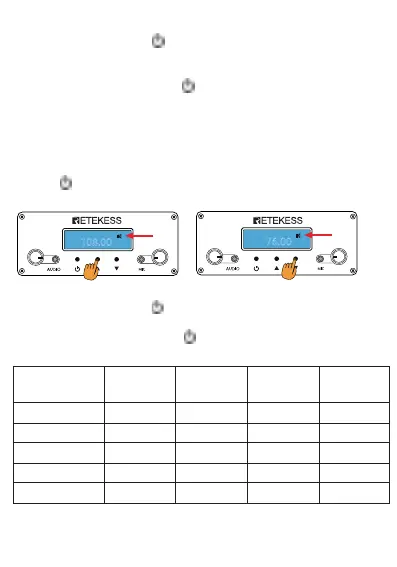
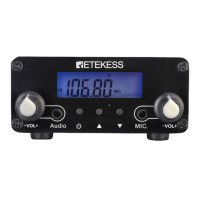
Press the power switch " " confirm settings. The LCD screen
display 108.0MHz. This is the highest frequency of use. Through the
▲/▼" can be changed it, adjustable range:76-108Mhz.
Again press the power switch " " confirm settings, The LCD screen
display "87.00MHz". This is the lowest frequency of use, Through the
"▲/▼" can be changed it, adjustable range: 76-108Mhz..
Warning: lowest frequency high-end can not be even higher than the
highest frequency.
For example, To set the transmitting frequency range is 90MHz to
100MHz,Through the "▲/▼" changed to 100Mhz, press the power
switch " " confirm settings, follow Through the "▲/▼" changed to
90Mhz.
Step 4:
Press the power switch " " confirm settings, after 3 seconds , The
LCD screen display "OFF".
Again press the power switch " " , The transmitter Start working.
Transmitter covering Distance(Reference/kilometer)
108.00
FM
MHz
ST
- +
VOL
- +
VOL
76.00
FM
MHz
ST
- +
VOL
- +
VOL
Receive sensitivity Transmit power Transmit power Transmit power Transmit power
0.1~0.5W 1~2W 10~30W 30~50W
City 0.1~0.5 1~2 3~5 5~8
Town 0.2~0.6 2~3 5~8 8~10
Environs 0.3~1 3~5 8~15 10~30
Widen Plain 0.5~2 8~20 10~30 20~40
Sea communication 1~3 10~30 20~40 20~50


 To Next Page