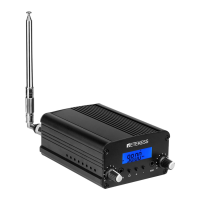
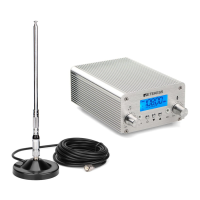
When the radio frequency channel of the Digital Transmitter and the
radio are same, the “zzz” sound will stop. Adjust the volume to
medium level in iPod or audio player, and start playing music. Now
you will hear the music playing from the mp3 or audio player will
output from the radio. Note: If volume level from mp3 or audio
player is high, the music output from the radio will sound
distorted.
5. Adjust the volume in your radio until the satisfactory output is
reached.
6. When interference occurs, the music from radio will not sound clear.
In this case, please switch to different channels by repeating Step 2
and 3 until the music sound quality is clear again.
Adjustment of Radio Frequency Channels
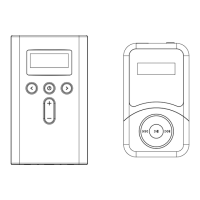
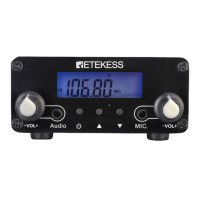
1. Press Power Button to turn on the FM Transmitter
2. Adjust the FM frequency channels: (Radio frequency channels
adjustment range is 76.0MHz~108.0MHz.)
3. Press Frequency Up/Down Button to increase/decrease 0.1MHz
radio frequency channels on the Transmitter.
4. Press and hold the Frequency Up/Down Button to continuously
increase/decrease radio frequency channels on the Digital
Transmitter.
Power On/Off and Power
Press Power Button turn off the FM Transmitter.
Important Notice
• This product should be kept in dry condition and away from water.
• Keep the product off direct sunlight or high temperature environment.
• Please unplug the power plug when it is not in use.
Troubleshooting
1、If the FM Transmitter does not function normally,
• Please check whether all wires/ cables being connected tight and
correct.
• If the product cannot be powered on, check whether the AC adapter
works and connects properly.
2、If music output from the radio is distorted (not clear),
• First, reduce volume from iPod or audio player to medium or lower
volume range, and then turn up volume from radio to desired level.
The music sound quality should improve.
7


 To Next Page