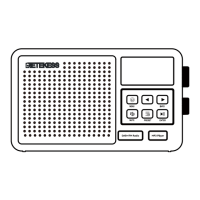
1. Product diagram
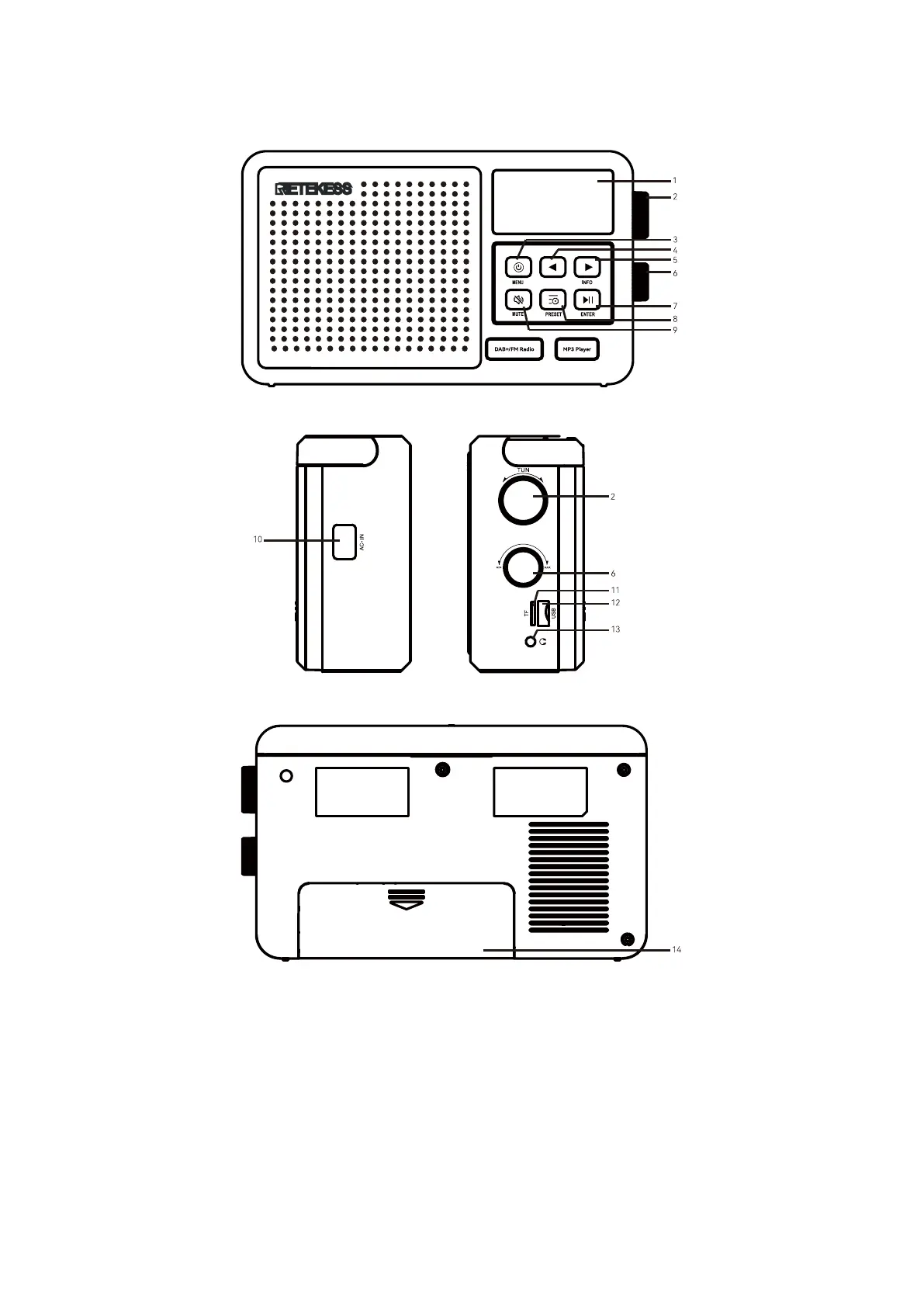
Radio Diagram:
1. Display: display radio information
2. Tune/Select: station selection button, select the menu task, and adjust the time, etc.
3. Power/Menu: power on/off, and enter the menu.
4. Left/Move Back: select the previous song when playing music/In USB, TF card play, long press is fast backward
play.
5. Right/Move forward: select the next song when playing the music/In USB, TF card play, long press is
fast-forward play.
6. Tune/Volume: volume button to adjust volume
7. Enter/Play&Pause: start pausing/play switching when playing the music.


 To Next Page