8. Setting/Preset: enter station selection list/enter manual station storage mode
9. Mute:start muting or cancel muting
10. AC-IN: plug in AC power cable to power the machine.
11. TF card slot: insert TF card, and play the music of TF card.
12. USB port: insert the USB card, and play the USB music.
13. Headset jack:3.5mmheadset jack.
14. Battery slot: install 4*1.5V AA batteries(Note: connect AC power cable will cut off the power supply to the dry
battery)
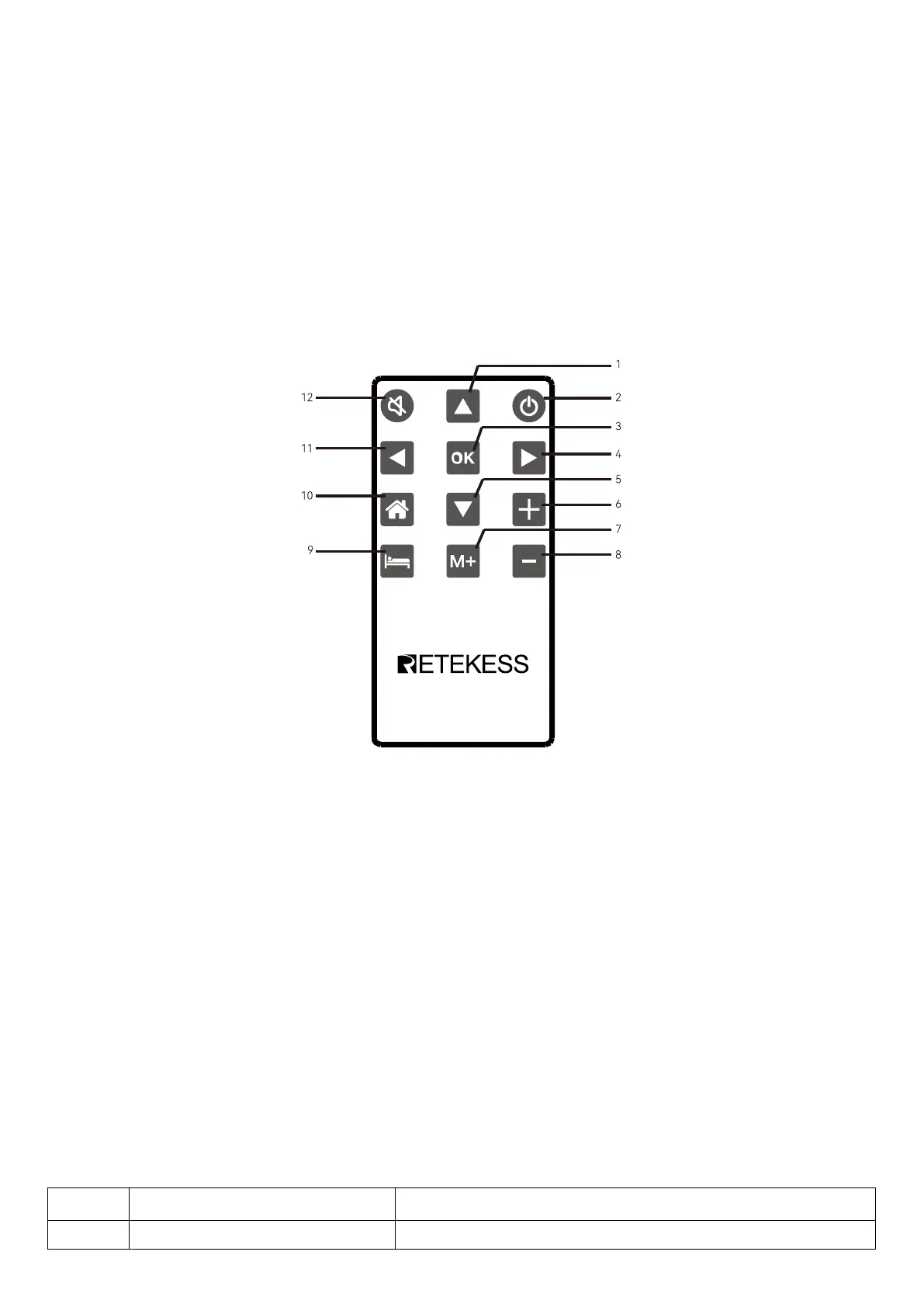
Remote Control Diagram:
1. Up
2. Power On/Off
3. OK/Enter
4. Right/Move forward
5. Down
6. Volume up
7. Select channels
8. Volume down
9. Sleep
10. Home
11. Left/Move Back
12. Mute
2. Specification Parameters


 To Next Page