4.1.3 Internet Radio Search Station Operation (Search)
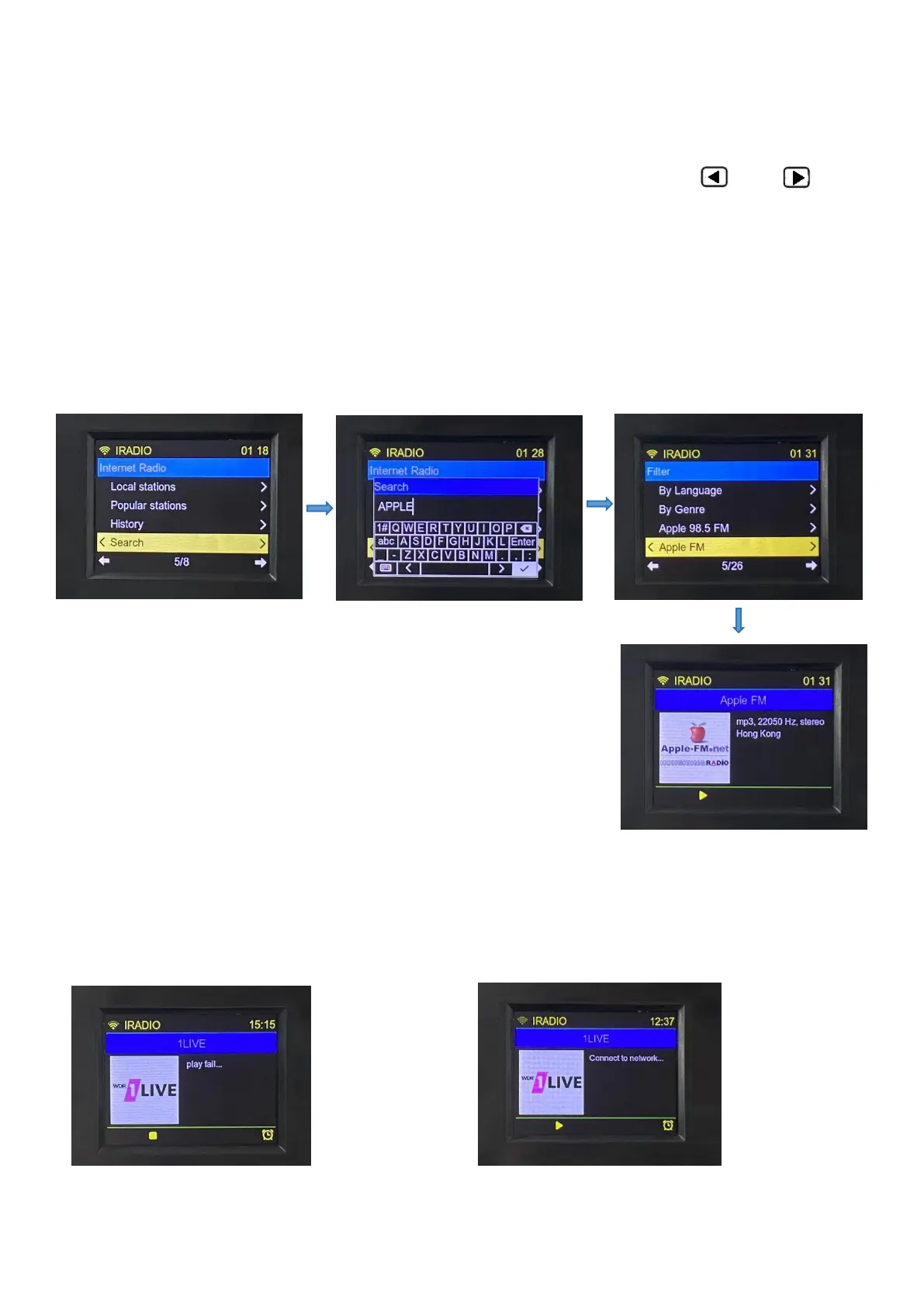
For example, to play ‘Apple FM’, perform the following steps:
Select Search and press 【ENTER】 to enter the search interface. Press 【 】&【 】 to
move left and right , up and down to enter the name of the station, and use it with the key
【ENTER】. After entering the name of the station or keywords, long press【ENTER】to enter the
search. The list of stations is displayed when the station is found. Then select ‘Apple FM’ radio
station, press 【ENTER】key to enter the play, the specific operation is shown as follows:
4.1.4 When the radio fails to be played, ‘play fail’ is displayed. When the network is interrupted, ‘Connect to
network’ is displayed as follows:
4.1.5. Station storage/station selection:



 To Next Page