EasyManua.ls Logo

Retekess TW106 - User Manual

Retekess TW106
20 pages
Print Icon
To Next Page IconTo Next Page
Loading...
Henan Eshow Electronic Commerce Co., Ltd
Add: 7/F, Sanjiang Building, No.170 Nanyang Road,
Huiji District, Zhengzhou, Henan, China
Facebook: facebook.com/Retekess
E-mail: support@retekess.com
Web: www.retekess.com
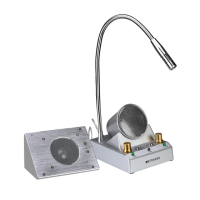
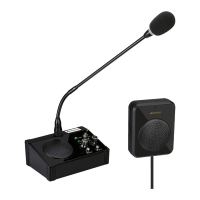
Window Speaker System
User Manual
TW106
EN DE FR IT ES

Questions and Answers

  • L
    Lisa McguireJul 28, 2025
    What to do if Retekess Speakers are completely silent?
    • L
      Lawrence SmithJul 28, 2025
      If both the main station and the sub-station of your Retekess Speakers are silent, check the following: * Ensure the power supply is properly plugged in. If it's loose, reinsert it. * Verify that the power supply is plugged into the correct outlet. * Adjust the volume on both the main and sub-stations, as they might be set to zero.
  • C
    Charles HoAug 5, 2025
    Why do my Retekess Speakers howl?
    • J
      Julie NelsonAug 5, 2025
      Retekess Speakers may howl due to: * Poor sound insulation of the installation window: Increase the distance between the main station and the sub-station. * To solve this, you can try lowering the volume of both the main and sub-stations.
  • N
    Noah ChenAug 13, 2025
    What to do if the main station volume is too low on Retekess Speakers?
    • Y
      Yesenia RomeroAug 13, 2025
      If the main station volume on your Retekess Speakers is too low: * Adjust the volume of the main station clockwise. * Ensure the client is as close as possible to the sub-station.
  • T
    thomas50Aug 20, 2025
    How to fix low volume on the sub-station of Retekess Speakers?
    • M
      megan22Aug 20, 2025
      If the sub-station volume is too low on your Retekess Speakers: * Ensure the main station's microphone is facing the worker; recalibrate if necessary. * Adjust the volume of the sub-station clockwise. * Make sure the worker is as close as possible to the main station.

Summary

Product Description and Components

Outside Speakers

Details the external speaker unit for the window intercom system.

Master Station

Describes the main unit of the window speaker system.

Introductions

Installation Instructions

Installation Steps

Provides step-by-step guidance for setting up the window speaker system.

Troubleshooting Guide

RF Energy Exposure and Safety

Local Government Regulations

Regulations for radio usage and exposure awareness requirements.

Regulatory Compliance

Radio License Information

Details regarding the need for radio licenses and local regulations.

Unauthorized Modifications

Warnings against changes that could void user authority or violate rules.

FCC Requirements

Compliance statements and conditions for FCC rules.

CE Requirements

EU conformity declarations for RED, ROHS, and WEEE directives.

Important Safety Information

IC Requirements

Compliance statements for Canadian license-exempt radio apparatus.

RF Exposure Guidelines

Instructions for safe RF energy usage and compliance.

Choking Hazard Warning

Notice regarding small parts not suitable for children under 3.

Hearing Protection

Advice on using the device to prevent hearing damage from loud noise.

Device Operation Precautions

Antenna Usage

Guidance on using antennas and avoiding burns from damaged ones.

Battery Handling

Precautions for handling batteries to prevent short circuits and burns.

Long Transmission Effects

Note on potential heat generation during extended transmissions.

Safety Operation

General safety advice for charger use and device placement.

Approved Accessories

Guarantee Information

Warranty Coverage

Details on warranty terms, service, and exclusions for the product.

Retekess TW106 Specifications

General IconGeneral
BrandRetekess
ModelTW106
TypePortable Bluetooth Speaker
BluetoothYes
Bluetooth Version5.0
Bluetooth Range10 meters
Output Power5W
Frequency Response100Hz-18KHz
Signal-to-Noise Ratio≥ 85dB
Battery Capacity1200mAh
Input Voltage5V
MaterialPlastic
ColorBlack
BatteryLithium Battery
Charging Time3 hours

Related product manuals