10
①Press and hold the on/o button for 5 seconds will enter into pairing mode, and you will
hear a “di” sound.
②Conrm “BTRebind” the rst time you connect the Bluetooth earpiece.
③Waiting for several seconds, the radio Bluetooth will be connected to the Bluetooth
earpiece.
Next time if you turn on the radio and earpiece, they will pair automatically within several
seconds.
⑤If pairing time out of 1 min, please clear the connection memo of the earpiece as follows
operations: Press the PTT button 4 times
in a row with a Beep sound to clear the Bluetooth connection memo in the power-on state,
and then pair the radio and Bluetooth
earpiece again.
11.Update rmware upgrade operation
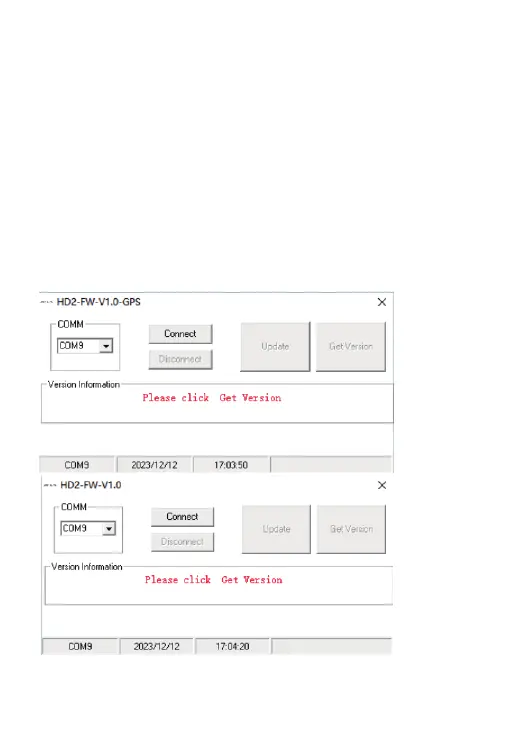
The rmware can x bugs found when used, and new features can be added. There will be two
dierent version rmware, GPS or Non-GPS. So before upgrading the rmware, please double
check if the radio is a GPS or Non-GPS, and use the correct rmware.
Upgrade operation:
1)Enter the DFU mode: Press the PTT and SK1 together, and then turn on the radio. The
indicator light is red.
2)Open the rmware software.



 To Next Page