4
Set the squelch level
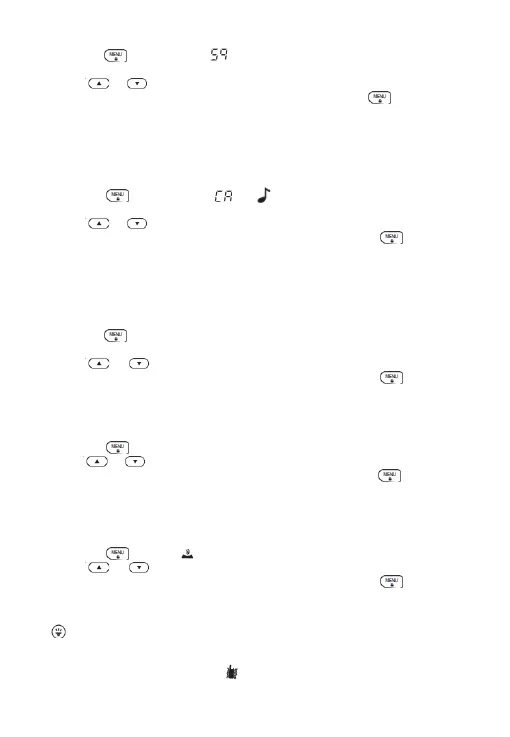
1.Press the button until the icon is displayed,squelch level number
starts to flash.
2. Press or to select the level.
Press the PTT button to save and exit the menu, or press the to continue
setting.
Set Transmission Call Alert Tone
Your walkie-talkie can transmit different call prompts to other walkie-talkies in
your group. Your walkie-talkie has 10 call prompt tones for you to choose. To set
the call alert tone, do the following:
1. Press the button until the and icon is displayed, Call alert tone
code starts to flash.
2. Press or to change and listen to the call alert tone
3. Press the PTT button to save and exit the menu, or press the to continue
setting.
In order to transmit your call alert tone to other walkie-talkies, please set the
same channel and sub-code on your walkie-talkie, and then press the call alert
tone.
Voice control level selection
1.Press the button until the VOX icon is displayed. VOX sensitivity level
code(OFF, 01-09) starts to flash.
2. Press or to change the sensitivity level.
3. Press the PTT button to save and exit the menu, or press the to continue
setting.
Dual channel monitoring settings
Allows you to alternately scan the current channel and another channel.
1. Press the until the 2CH icon is displayed, and the current setting will flash.
2. Press or to change the channel for dual watch.
3. Press the PTT button to save and exit the menu, or press the to continue
setting.
After setting the dual standby channel, the screen will alternately display the
main channel and dual-channel monitor channel during standby.
Key tone switch settings
1. Press the until the icon is displayed , The current setting will flash.
2. Press or to change the tone on or off
3. Press the PTT button to save and exit the menu, or press the to continue
setting.
Side button function
1. function description
a. Short this button to switch the LED flashlight switch.
b. Long press the button to switch the vibration function switch. When the
vibration function is turned on, the icon is displayed, and the vibration is
triggered when the call is answered for 3 seconds. If there is no operation within


 To Next Page
 Loading...











