2) Mode selection:
Under FM radio mode, press [ ] to switch between FM memory mode and FM frequency mode (this function is unavailable when there
is no FM memory channel).
3) Frequency selecting
Under FM frequency mode, input the digits directly through keypad or press [ ] or [ ] to choose the desired frequency. Under FM
memory mode, press [ ] or [ ] to choose the desired channel.
4) FM radio storage
Under FM frequency mode, long press [ ] , the saved channel number blinks at the right of the screen. Press [ ] or [ ] to
select the desired channel number press [ ] to confirm and then return to the receiving mode.
5) FM radio channel delete:
Under FM frequency mode, long press [ ] , the channel number blinks. Press [ ] or [ ] to choose the channel number you
want to delete. Press [ ] to confirm. Repeat this operation, you can delete all memory channel 24 in maximum.
6) VFO offset setting.
Under VFO mode, enter Menu 22 to set magnitude of the repeater shift, enter menu 26 to set the shift direction, and enter menu 27 to
change the synthesizer steps.
For example, if your frequency now is 445.0500MHz and you would like to set a frequency 444.4500MHz as transmit frequency, steps as
below:
1.Under VFO mode, enter Menu 22 to set the offset at 0.6MHz, and press 【F】 to confirm.
2.Enter menu 26 to set shift direction at “- “, and press【F】 to confirm.
3.Press PTT button will show transmit frequency at 444.4500MHz.
7) RX ENC (Environment Noise Cancellation) function
Audio sound active control is a signal-processing methodology that reduces the effective sound amplitude to improve signal-to-noise ratio
(SNR) so that the unwanted noise is less perceptible. The ENC methodology is also called audio noise reduction(ANR). ENC or ANR is
based on coherent acoustics that accurately replicate the original sound field in all its forms. This radio is equipped with the ENC
(Environment Noise Cancellation) function and can help you hear clearly in the noisy environment.
RX ENC ON/OFF can be set from Menu 38.
8) One Key Frequency Pairing
When the radio is under VFO mode, long press the A/B key, and the radio will broadcast “Di” prompt sound, and the green light flashes
slowly, transmitting (Press PTT) the radio (the one we want to pair). When the radio broadcasts "Di” prompt sound, the radio will finish
pairing the current frequency and CTCSS. When the green light always lights up, save successfully. The channel paring is the same as the
one key frequency pair.
Note: support pairing different brand walkie-talkies.
The radio (want to be paired) must keep on pressing PTT till the frequency and the CTCSS/DCS are paired, or it may be seeking the end
tone of the paired radio.
Selected channel call
Press PTT and Side key 1(Flashlight button) to achieve remote kill/stun/active.
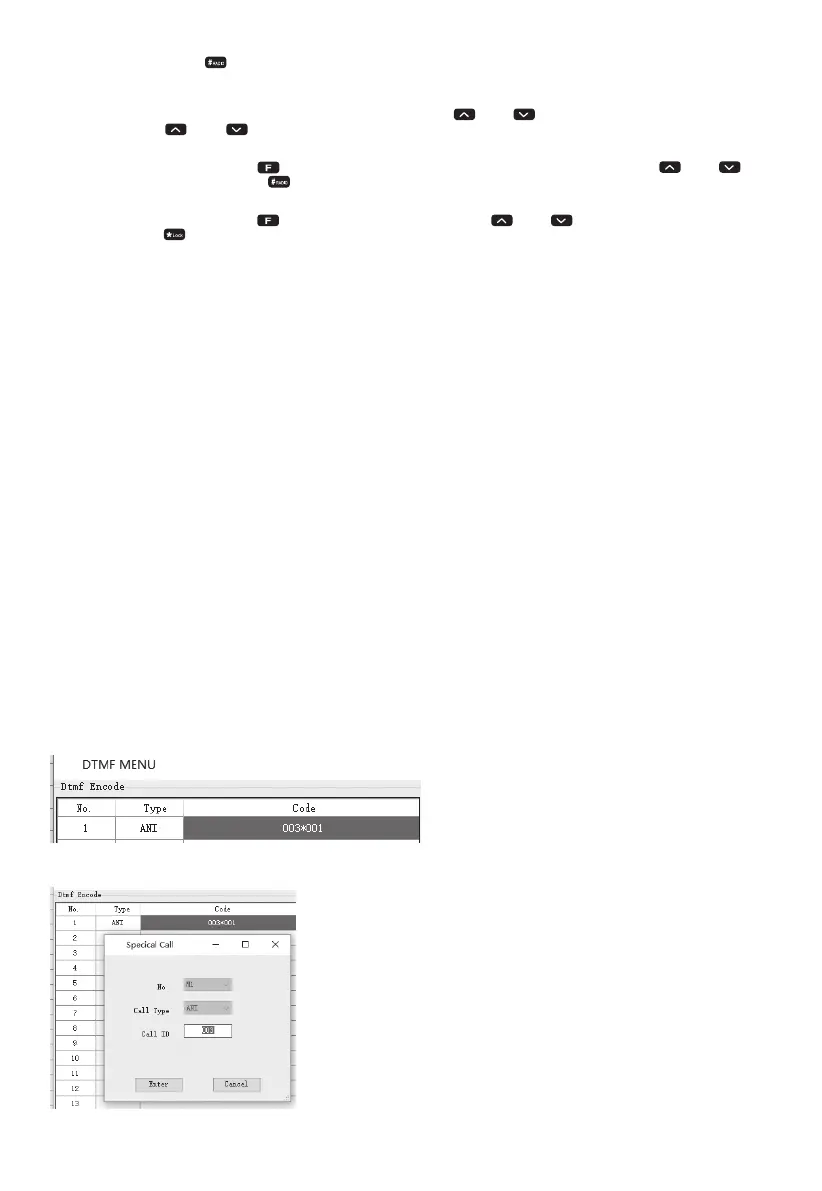
DTMF
When the signal of the channel selects the DTMF, press the PTT key and the side key 1 at the same time, the current channel will
automatically check if the DTMF signaling is received and decode it. And achieve a corresponding function according to the received
code.The function includes ANI display, and remote stun/waken/kill.
ANI Display:
1.DTMF Encode type choose ANI
2.Input the caller ID, e.g., your radio ID is 001, the called radio ID is 003.
14


 To Next Page
 Loading...











