6
To communicate, all radios in your group must be set to the same channel and Interference Eliminator Code.
1. To talk, press and hold the
PTT
button. When transmitting, the icon is shown.
2. When you are nished talking, release the
PTT
button.
3. When receiving, the icon is shown.
For maximum clarity, hold the radio 2 to 3 centimeters away from your mouth and speak directly into the
microphone. Do not cover the microphone while talking.
Talk Range
Your radio is designed to maximize performance and improve transmission range. Do not use the radios closer
than ve feet apart.
Monitor Button
Press and hold button for 3 seconds to enter monitor mode and listen for weak signals on the current channel. You
can also listen to the volume level of the radio when you are not receiving. This allows you to adjust the volume, if
necessary. You can also press button to check for activity on the current channel before you talk.
Push-to-Talk Timeout Timer
To prevent accidental transmissions and save battery life, radio will stop transmitting if you press
PTT
button for
60 seconds continuously.
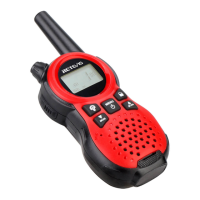
2. The display screen then shows the current channel, code and all features that are enabled. The radio is in
Two-Way mode.
Setting the Volume
Press and hold button for three seconds to listen to volume level.
1. First press either or to trigger volume change. You will see current volume level on screen.
2. Press to increase the volume. Press to decrease the volume.
3. When the volume reached level 0 the mute icon appears permanently on screen.
Do not hold the radio close to your ear. If the volume is set to an uncomfortable level, it could hurt your ear.
TALKING AND LISTENING


 To Next Page