10
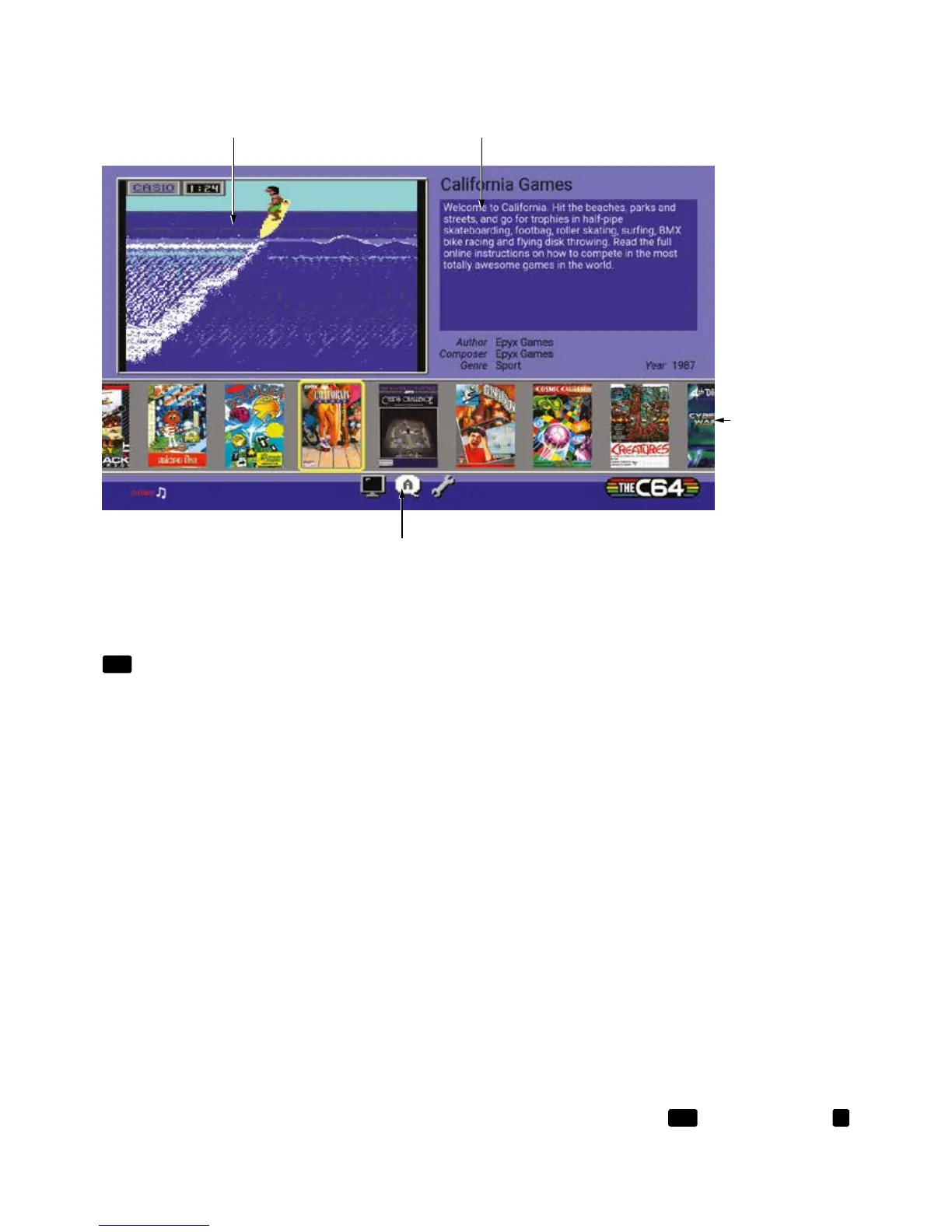
The HOME screen is where you choose which game to play and access the conguration options.
GAMES CAROUSEL
Use the Joystick UP and DOWN to move the highlight between the GAMES CAROUSEL and the
OPTIONS windows. Wherever you are on the HOME screen, LEFT and RIGHT chooses an item, and
FIRE
makes a selection.
GAME PREVIEW
This window shows preview images from the highlighted title in the GAMES CAROUSEL.
GAME OVERVIEW
This window displays information about the highlighted title, giving a summary of the game, what type
of game it is and who created it. More information and full instructions for each game are available
online at www.thec64.com/games
See CHAPTER 5 for further information on playing the games.
OPTIONS
Choose from a selection of options that change how THEC64 Mini or a connected USB keyboard
operates.
To choose an option, move LEFT or RIGHT on the Joystick and press either
FIRE
button. Press the
☰
button to come out of the current screen.



 To Next Page
 Loading...
