
 Need help?
Do you have a question about the Revolabs FLX UC 500 and is the answer not in the manual?
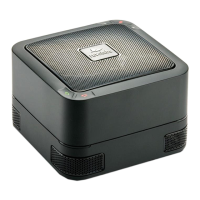
Lists the items included in the box for the FLX UC 500, including the base unit, USB cable, and power adapter.
Instructions on how to power the FLX UC 500 using the AC power adapter and region-specific plug clips.
Steps to connect the FLX UC 500 to a computer using the provided USB cable and driver installation.
Information on supported third-party applications and where to find the latest list on the Revolabs website.
Instructions for installing and configuring the FLX UC 500 Device Manager application for Windows.
Details the FCC compliance statement, including conditions for operation and restrictions on modifications.
Explains compliance with FCC limits for Class B digital devices and provides guidance for resolving interference.
Provides Industry Canada compliance information regarding radio interference and operational conditions.
Declares conformity with EU directives (EMC and RoHS) for specific FLX UC 500 models and provides company address.
Specifies usage restrictions for FLX UC 500 in high altitude or tropical environments, with Chinese translations.
Informs users about the WEEE directive and proper disposal of electrical and electronic equipment for recycling.
Details call control (off hook/on hook) functionality for various applications on Windows and Apple computers.
 General
| Product Type | Conference Phone |
|---|---|
| Microphone Type | Omnidirectional |
| Speakerphone | Yes |
| Microphone | Yes |
| Connectivity | USB |
| Connectivity Technology | Wired |
| Wireless Technology | Not applicable |
| Battery Life | Not applicable |
| Signal-to-Noise Ratio | > 70 dB |
| Speaker Type | Full-range |
| Compatibility | Windows, Mac |
| Power Source | USB |
| Frequency Response | 100 Hz |
| Recommended Use | Conference calls, meetings |

 To Next Page
