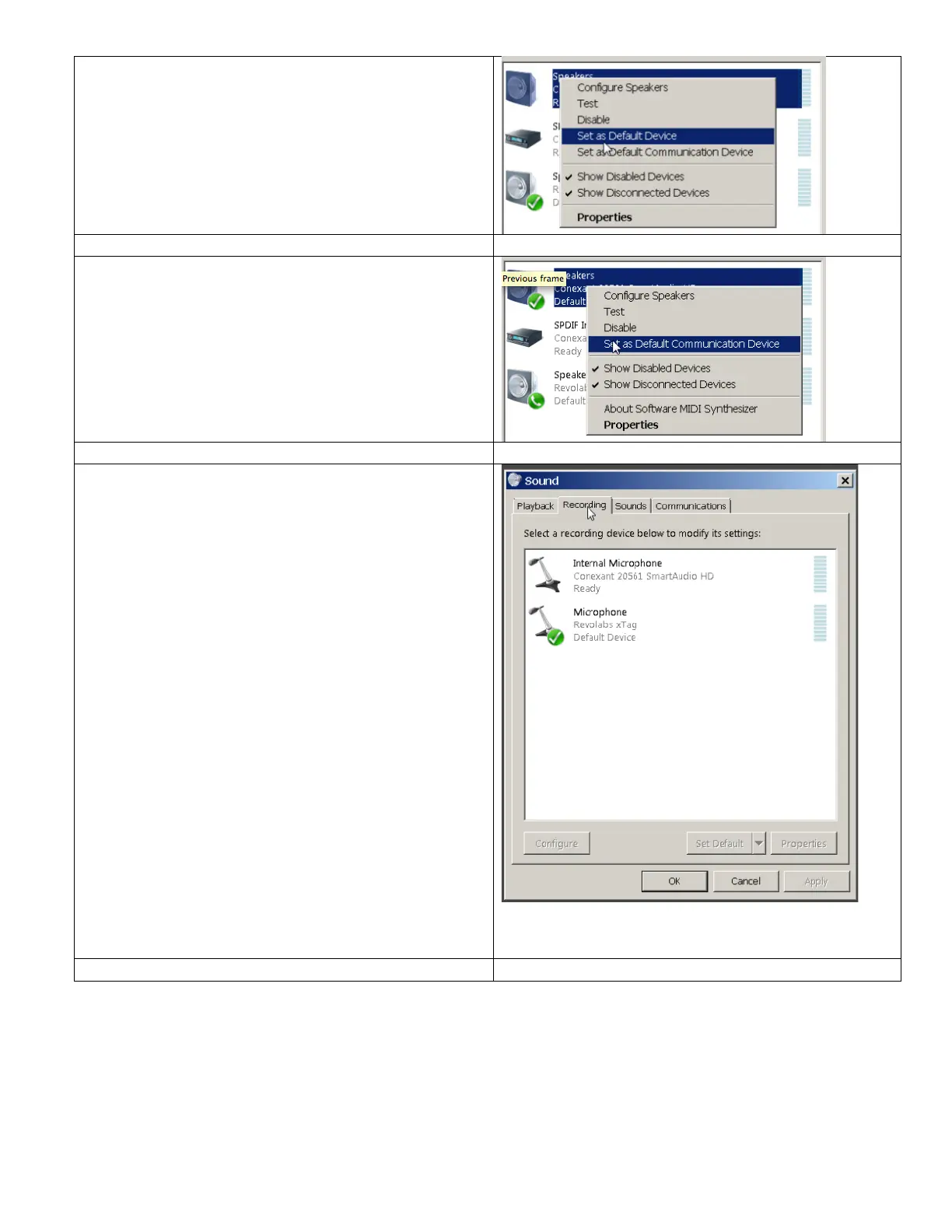
Right-click again, and this time, click on Set as
Default Communication Device.
Click on the Recording tab, and ensure that the
Revolabs xTag microphone is set to the Default
Device.
This should already be active. If it is not, then
please right-click and make Default now.
Why you need to do this:
The first time you plug the Revolabs xTag in, it
takes over both the Windows 7 Playback AND
Recording—it becomes the Sound Card for
both. The microphone should only take over the
Recording function.
The good news:
This process should only be done the first time
you use the computer. Windows 7 remembers
the configuration change the next time you plug
the USB microphone in.
Please remember to double-check the Audio
settings in Camtasia Relay and test your
recordings BEFORE you start your lecture.


 To Previous Page