4
Specifications
Cutting Type
Shred Size
Security Class
Sheet Capacity (one pass)
Entry Width
Product Dimensions
Rated Voltage/Frequency
Rated Current
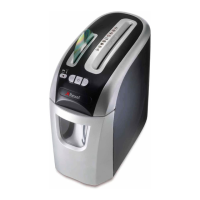
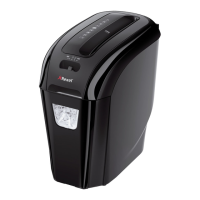
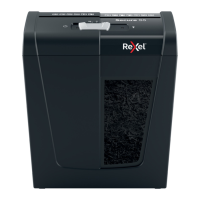
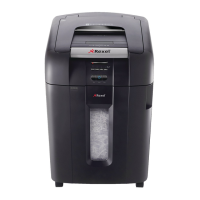
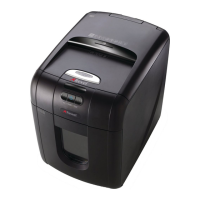
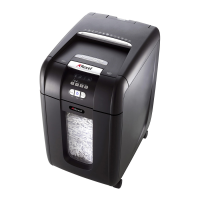
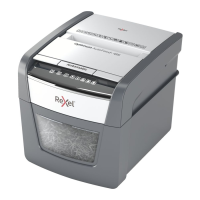
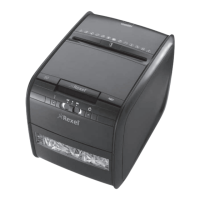
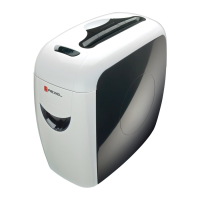
Rexel ProStyle Shredder Rexel Style+ Shredder Rexel Style CC Shredder
Confetti Cut Confetti Cut Confetti Cut
4x35mm 4x23mm 4x30mm
DIN S3 DIN S3 DIN S3
11sheets(80gsm) 7sheets(80gsm) 5sheets(80gsm)
230mm 230mm 230mm
430x232x410mm 378x203x360mm 340x185x320mm
220-240V~50Hz 220-240V~50Hz 220-240V~50Hz
2A 1.6A 0.8A
Rexel Style RC Shredder
RibbonCut
5.8mm
DIN S2
7sheets(80gsm)
230mm
340x185x320mm
220-240V-50Hz
0.8A
Description of product parts (fig 1)
1
Power Cable (Euro plug shown)
2
Viewing window
3
Paper entry slot
Introduction
ThankyouforchoosingthisShredderfromRexel.Wearesureitwill
serveyouwell,butpleasetakealittletimetoreadtheseinstructionsto
ensure you get the best out of your machine.
Safety First
•Pleasestorethisinstructionmanualinasafeplaceforfuture
reference.
•Pleasepaycloseattentiontothesafetysymbolsonthetopofthe
shredder and operate the machine accordingly.
•Iftheshredderneedscleaning,unplugtheunitfromthepowersocket
and use a damp cloth. NB. Do not use any cleaning products to clean
the unit.
•Donotpositiontheunitneartoanobjectthatradiatesheat.
•Donotplacetheunitinadampenvironment.
•Takecarenottosplashanyliquidontothemachine.
•Returntheproductandproofofpurchasewithreceipttothestoreat
which it was purchased if…
- The power cable or plug is broken.
- The machine malfunctions because liquid was accidentally spilt onto
the machine.
- The shredder doesn’t operate despite following the guidelines in the
manual.
•Makesurethepowercableisn’tatriphazard.
•Pleaseensurethepowersupplyiscompatiblewiththerequirements
ofthemachine(220-240V50Hz).
•Toavoidriskofinjury,donotopenthemachine’scasingtoattemptDIY
repair.Anyattemptedrepairbyanunqualiedpersonwillinvalidate
the warranty.
DO NOT attempt to repair shredder yourself.
KEEP OUT OF REACH OF CHILDREN.
m
m
Preparation before use
Howtousetheshreddercorrectly:
1
Takecarenottoinsertngers,tiesorotherobjectsintotheentry
slot of the shredder.
2
Trytoavoidlaminatingmaterials,plasticbagsetc.frombeing
passed through the shredder. This will prevent damage to the
cutters.
3
Do not shred wet paper as it can tangle in the cutters.
4
Do not shred more than the stated sheet capacity in one pass.
5
Do not shred continuously for more than 3 minutes at a time (2
minutesStyleRC).Runningtheunitfortoolongmaymakethemotor
overheat.Ifthemotoroverheats,allowittocooldownforatleast
30 minutes before resuming use.
6
Donotusethe“REV”(
) (reverse) function if it’s not necessary.
Overuseofthe“REV”(
) function can result in shredded paper
becomingjammedintheentryslot,whichwilladverselyaffectthe
performance of the shredder.
Correct operating procedure (fig 2)
1
Insert plug into the AC power socket.
2
Check the shredder bin is fully closed.
3
Push the switch to the ON/AUTO position (standby mode)
4
Whennotinuse,pushtheswitchtotheO(offposition)


 To Next Page