
 Need help?
Do you have a question about the Rexing B1 and is the answer not in the manual?
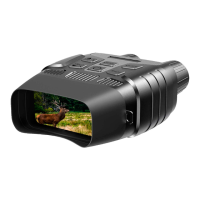
Identifies and explains the various physical parts and controls of the digital binoculars.
Please install batteries into the device before using.
Please prepare a Micro SD card (up to 32GB) in advance. Insert and format the card.
Keep pressing the power button for 3 seconds to turn the device on or off.
Instructions on how to take photos, including zooming.
How to switch between photo, video, and playback modes using the Mode button.
Guide on how to record videos, zoom, and stop recording.
Adjust photo resolution (1M/VGA) and video size (960P/VGA).
Configure night vision sensitivity, power frequency, and auto power off.
Set date, time, add date stamps, and choose the OSD language.
Format the memory card or restore the device to factory default settings.
How to switch to playback mode, view, and play recorded files.
Options to lock/unlock files and delete files from the memory card.
Steps for transferring files using a memory card reader.
Steps for transferring files by connecting the device directly to a PC.
Regulatory compliance information regarding radio frequency interference limits for Class B devices.
Details on the limited warranty period, coverage, and registration.
Statements regarding representations, liabilities, and product illustrations.
 General
| Brand | Rexing |
|---|---|
| Model | B1 |
| Category | Binoculars |
| Language | English |

 To Next Page