5
© 2018
Rexing
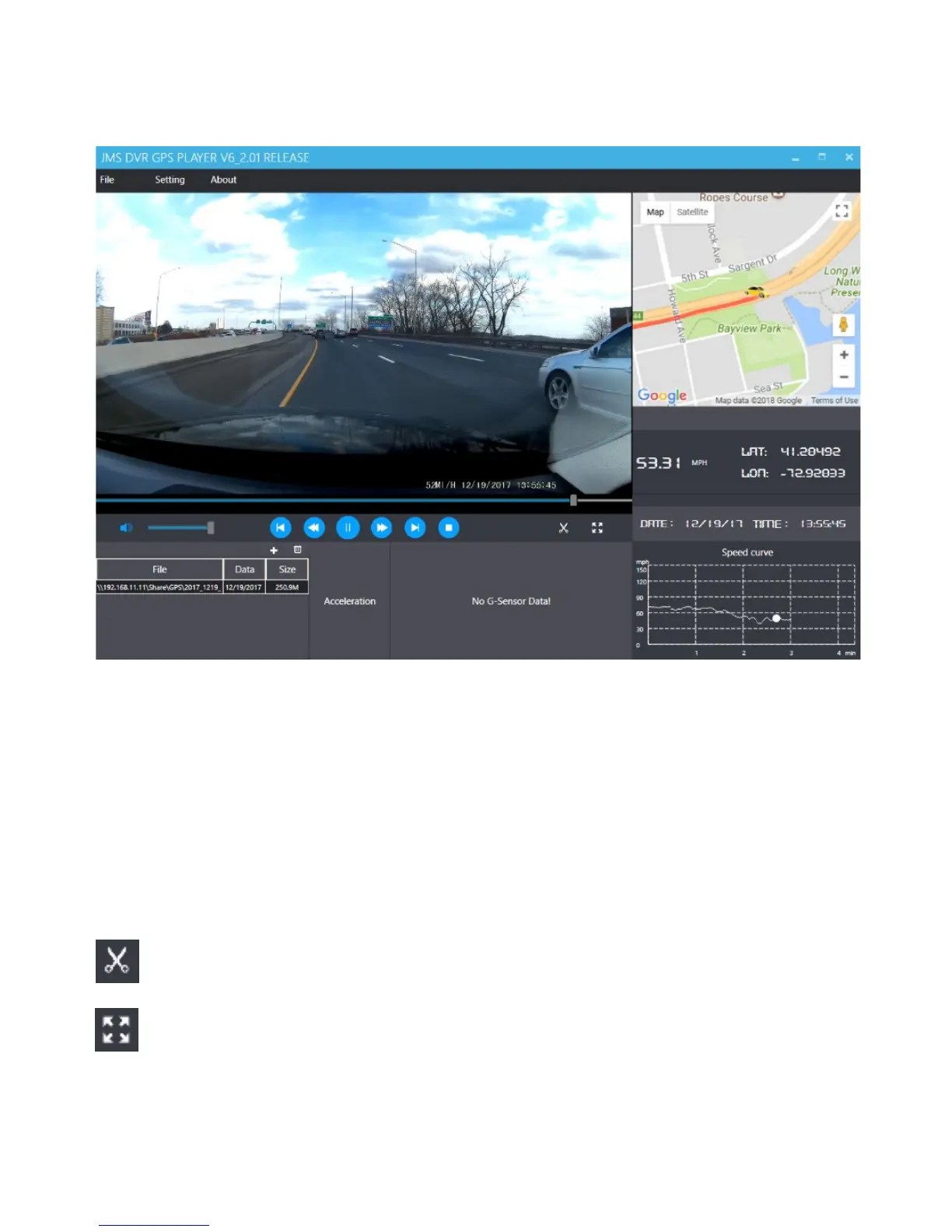
Playback Menu
Beneath the video is a playback bar with a handle which you can drag to skip to
any time in the video. Beneath that, from left to right, are the volume control,
previous video, rewind, pause/play, fast forward, next video, and stop buttons.
Additional Controls
Snip: Save the current frame of video as an image (PNG).
Full Screen: View the video in full screen (double click the video to exit).


 To Next Page