
 Need help?
Do you have a question about the Rexing H2 and is the answer not in the manual?
Details on powering the camera and inserting the memory card.
Explanation of operational modes, settings, and available capture modes.
How to review captured images and videos, and how to delete them from the device.
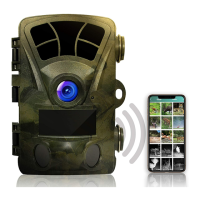
Guide to connecting the trail camera to a mobile device using the GCamPro app.
Addresses common problems like photos not capturing or short battery life.
General warnings about complying with safety regulations to prevent injury or death.
Advice on using manufacturer-approved accessories and handling devices carefully.
Instructions for immediate action upon detecting strange smells, sounds, smoke, or leaks.
Emphasizes compliance consequences and immediate actions for device malfunctions.
Safety guidelines for operating controls while driving and handling the device carefully.
 General
| Photo Resolution | 20MP |
|---|---|
| Video Resolution | 1080p |
| Trigger Speed | 0.3 seconds |
| IR Range | 65 feet |
| Waterproof Rating | IP66 |
| Image Sensor | CMOS |
| Battery Life | Up to 6 Months |
| Memory Card Support | Up to 128GB |
| Night Vision | Yes |
| Detection Range | 65 ft |

 To Next Page