Need help?
Do you have a question about the RFDesign RFD868x and is the answer not in the manual?
Describes the use of the RFD900 Tools graphical interface for modem configuration.
Explains how to enter AT command mode and lists available AT commands for modem control.
Provides practical examples for setting encryption and air data rates using AT commands.
Details frequency band selection for FCC-compliant radios and channel configurations.
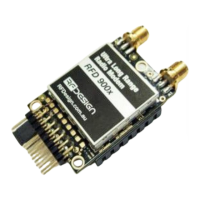
The RFD900x/ux/ux-SMT and RFD868x/ux/ux-SMT are radio modems designed for ultra-long-range, point-to-point, and SiK firmware-based communication. These devices are versatile, supporting various communication architectures and node topologies through different firmware releases. This manual specifically details the configuration and features of the Point-to-Point/SiK V3.x and later firmware versions. Modems sold after April 2019 typically come with a 3.xx version loaded by default, offering out-of-the-box RF communications with a set of default settings that are suitable for most applications. However, it is recommended to update all modems to the same firmware version to ensure compatibility, as firmware versions are not always compatible with each other.
The primary function of these modems is to establish straightforward data communication between two nodes in a peer-to-peer network. When two nodes have compatible parameters and are within range, they synchronize to establish communication, indicated by a solid green LED. This simple communication topology allows for reliable data exchange over long distances.
The firmware is a development of the open-source "SiK" project, enhanced by RFDesign, and includes advanced features such as Frequency Hopping Spread Spectrum (FHSS) for robust communication and a Transparent Serial Link for seamless data transfer. Users can configure various parameters like power levels, air data rates, and serial speeds to optimize performance for specific applications. The modems also support up to 256-bit AES hardware encryption with a user-settable key, ensuring secure data transmission.
For integration with flight control systems, the modems offer MAVLink protocol framing (user selectable) and MAVLink radio status reporting, which includes local and remote RSSI (Received Signal Strength Indicator), local noise, and remote noise. This allows for real-time monitoring of link quality. Additionally, the modems feature automatic antenna diversity switching on a packet basis, enhancing reliability by selecting the best antenna for reception. To prevent overheating, automatic duty cycle throttling based on radio temperature is implemented.
The devices also support PPM or SBUS (R/C signal) pass-through, enabling control of vehicles across the radio link. GPIO pin mirroring and external lock LED mirroring provide additional functionality for system integration and status indication.
The RFD modems offer flexible configuration options through both a Graphical User Interface (GUI) tool and AT modem commands via a serial terminal.
The RFD900 Tools, available from the RFD website, provide a user-friendly interface for modifying modem settings. Users can connect to the modem via a COM or network port and set the connection rate. The "Load Settings" function populates the screen with current modem settings, which can then be adjusted using check and drop-down boxes. Changes can be saved using "Save Settings," and "Reset to Defaults" restores factory settings. The GUI also facilitates firmware updates or loading alternative firmware types.
For advanced users, AT commands offer granular control over modem settings. By entering '+++' in a serial terminal, users can access command mode. AT commands control local modem settings, while RT commands control remote modem settings. Parameters such as encryption keys, GPIO configurations, and data rates can be set using specific AT commands (e.g., ATSn=X to set a register, AT&W to save, and ATZ to reboot). It is crucial to save changes with AT&W and reboot with ATZ for settings to take effect. When configuring remote modems, it is advisable to make changes to remote settings first, as some modifications can temporarily disrupt the link.
When operating multiple RFD modems on the same band, users can set different network IDs for each pair to distinguish networks and prevent interference. Setting different pairs on different frequencies is also recommended to reduce packet collisions and improve link stability. For certified modems, specific frequency bands and airspeeds are enforced to maintain compliance with regional regulations. For instance, FCC-compliant radios (RFD900x-US) can operate in two distinct frequency bands, allowing two pairs of radios to function simultaneously without interference, provided there is minimal physical separation.
The modems support PPM control signal pass-through, enabling remote control applications. This involves configuring the ground station modem for PPM input and the receiver modem for PPM output, using S registers 16 or 17. The PPM stream can be injected or retrieved from GPIO1 (pin 15). The system also allows for recording a failsafe PPM stream, ensuring continued operation in case of signal loss. Different RC signal types can be inter-converted by the modem, such as SBUS2_12CH input being output as SBUS2_18CH.
The modems support 128/256-bit AES data encryption. Users can enable encryption and set a custom 32/64-character hexadecimal encryption key using AT commands. All devices in a network must have identical encryption settings to decode data properly.
Adjusting the air data rate is a key feature for optimizing range and link quality. Lower air speeds generally increase range and link robustness but reduce data throughput. Users should consider the desired range, the volume of data to be transmitted, and whether data flows in one or both directions when setting the air speed. It is important to set the air rate higher than the serial baud rate to prevent bottlenecks and data loss.
The modems feature a bootloader that facilitates field upgrades of the modem firmware via the serial port. This process is most easily performed using the latest version of RFD Modem tools. Regular firmware updates are recommended to ensure compatibility between devices and to benefit from the latest features and improvements.
The AT&F command allows users to reset all parameters to factory defaults, providing a clean slate for configuration or troubleshooting. This can be useful if settings become corrupted or if a complete reconfiguration is desired.
The modems offer debugging reports for RSSI (AT&T=RSSI) and TDM (AT&T=TDM), which can be enabled to monitor link performance and diagnose communication issues. These reports provide valuable insights into signal strength and timing, aiding in system optimization and fault finding.
The ATI9 command displays a calibration validation test, which can be used to check the internal calibration status of the modem, ensuring accurate and consistent performance.
It is crucial to ensure that all modems in a network are running compatible firmware versions. RFDesign continuously updates its firmware, and users are encouraged to refer to the documentation and useful links provided for the latest firmware releases and tools. The documentation also includes a revision history, detailing changes and updates across different firmware versions.
By providing robust communication capabilities, flexible configuration, and comprehensive maintenance tools, the RFD900x/ux/ux-SMT and RFD868x/ux/ux-SMT modems are designed for reliable and secure long-range data links in various applications.


 To Next Page

 General